
TRAFFIC JAM ESCAPE 3D
Free to play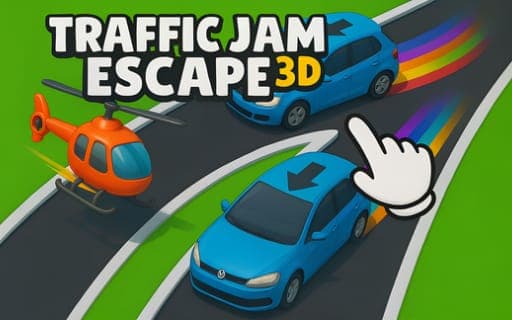
TRAFFIC JAM ESCAPE 3D
Game by Playgama. The provider may show ads and use cookies. Learn more
- Category
- Puzzle
- Platform
- Web browser
- Provider
- Playgama
- Price
- Free to play
About TRAFFIC JAM ESCAPE 3D
TRAFFIC JAM ESCAPE 3D hands you a city street locked in gridlock and asks you to clear it one vehicle at a time. Tap a car and it drives out, and arrows show the path each vehicle will take; the puzzle is choosing the order. Send a car off while another sits in its path and they collide, blocking the road, so every tap needs a moment of planning.
Levels move from narrow alleys to busy intersections, and the vehicles range from tiny cars to large trucks, each calling for its own approach. Speed counts as well: finishing a level quickly earns more points. Gems collected along the way go toward decorating your room, which gives progress a home outside the puzzles. When a stage becomes particularly tough, boosters such as rockets and helicopters are there to help you push through, and lively graphics and realistic sound effects accompany each cleared road.
Game provided by Playgama
How to play TRAFFIC JAM ESCAPE 3D
Objective
Tap cars in the right order to drive every vehicle out of the jam without a collision, finishing quickly for more points.
Controls
Mobile
- Tap a car: drive it out of the traffic jam
Getting started
- Look over the jam and follow each car's arrow to see where it will go when it moves.
- Find a vehicle with a clear path out and tap it first so it leaves without hitting anything.
- Keep tapping cars in an order that opens space for the ones stuck behind them.
- Collect gems along the way, and use rockets or helicopters when a stage will not budge.
- Clear the last car quickly for more points, then spend your gems decorating your room.
Tips
- Before any tap, trace the arrow of the car you want to move; a vehicle in its path means a collision that can block the road.
- Vehicles run from tiny cars to large trucks, and moving a big one out early often opens the board for several smaller ones.
- Finishing fast earns more points, but a crash costs far more time, so plan the first few moves before tapping anything.
- Keep boosters like rockets and helicopters for stages that are truly stuck rather than spending them on easy boards.
Play in your browser. No download needed.
TRAFFIC JAM ESCAPE 3D FAQ
How do you play TRAFFIC JAM ESCAPE 3D?
Tap cars to drive them out of the jam. Follow the arrows to see where each one will go, and work out the order of moves so no car hits another and blocks the road.
What are gems used for?
Gems collected while playing go toward decorating your room. They sit alongside the points you earn for finishing levels quickly, giving you something to build outside the puzzles.
Which boosters are available?
Rockets and helicopters. Both are there for stages that get particularly tough, helping you clear a jam that you cannot untangle with taps alone.
Is TRAFFIC JAM ESCAPE 3D made for phones?
Yes, it is built as a mobile puzzle game around a single tap control, so a phone screen suits it well. Each tap sends one vehicle on its way out of the jam.