
Food Sort 3D
Free to play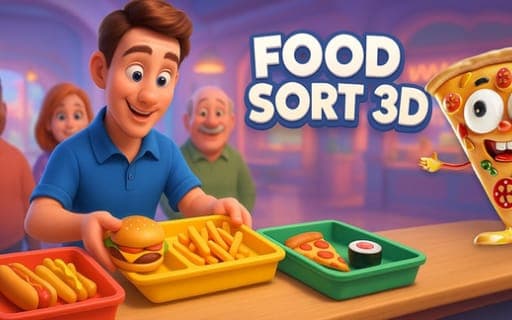
Food Sort 3D
Game by Playgama. The provider may show ads and use cookies. Learn more
- Category
- Puzzle
- Platform
- Web browser
- Provider
- Playgama
- Price
- Free to play
About Food Sort 3D
Food Sort 3D hands you a food court to run, and the work is all about sorting. Each level lays out a mix of dishes, from burgers, hotdogs and fries to sushi, pizza and desserts, and your task is to move every item into the category where it belongs. Picking an item up and dropping it in the right place is the only action, so a level comes down to recognizing what goes where and placing it cleanly.
The setting shifts as you progress. The setting changes between eateries, some of them fast-food spots and others upscale dining rooms, and each one brings its own set of items to sort. Levels are short and quick to clear, and finishing them grows the food court you are building. The food is shown in colorful 3D, with each dish modeled so you can pick it out on the counter.
Game provided by Playgama
How to play Food Sort 3D
Objective
Sort every food item in a level into its correct category by dragging and dropping it, working through a series of eateries, from fast-food spots to upscale dining, as your food court expands.
Controls
Desktop
- Cursor over an item: choose the dish you want to move
- Hold the left mouse button and move the mouse: drag the item
- Release the button: drop the item in place
Getting started
- Look over the dishes at the start of a level and work out which category each burger, fry, sushi roll or dessert belongs to.
- Move the cursor onto the first item you want to place, then press and hold the left mouse button.
- Keep the button held and move the mouse to carry the item over to its matching category.
- Let go of the button to drop the item there, then repeat with the next dish until everything is sorted.
- Clear the level and carry on to new eateries, which range from fast-food spots to upscale restaurants.
Tips
- Keep holding the mouse button until the item sits right over its category; letting go early drops it wherever it happens to be at that moment.
- Scan the whole level before your first drag and decide where each kind of food goes, so you never have to move the same dish twice.
- Check the categories again whenever you reach a new eatery, because an upscale restaurant brings a different set of dishes than a fast-food joint.
- Play several levels in a row; they are short, and each one you clear adds to the food court you are expanding.
Play in your browser. No download needed.
Food Sort 3D FAQ
How do you move food in Food Sort 3D?
With drag and drop. Put the cursor over a dish, press and hold the left mouse button, move the mouse to carry it, and release the button to drop it in its new position.
What kinds of food do you sort?
Burgers, sushi, hotdogs, fries, pizza and desserts are among the items. Each one has a category it belongs in, and the goal of a level is to get every dish placed where it fits.
What eateries appear as you progress?
Levels move through a range of eateries, from fast-food spots to fancier upscale dining. Each one brings its own items to sort, and finishing levels expands the food court you are running.
Can the whole game be played with just a mouse?
Yes. Every action is a mouse drag: hover over an item, hold the left button, move the mouse and release. That single motion handles everything from picking up a dish to dropping it into place.