
Construction Set - 3D Builder
Free to play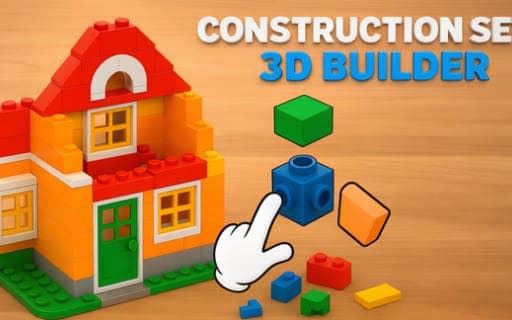
Construction Set - 3D Builder
Game by Playgama. The provider may show ads and use cookies. Learn more
- Category
- Puzzle
- Platform
- Web browser
- Provider
- Playgama
- Price
- Free to play
About Construction Set - 3D Builder
Construction Set - 3D Builder is a building puzzle in which you put together 3D structures from loose parts, one piece at a time. Each project starts as a set of simple components, and the task is to choose the right one, place it, and repeat until the model stands complete. You take the role of the builder, and the pace is entirely yours.
Projects are grouped into themes and settings, ranging from forest scenes to city ones, and every theme has its own buildings to make, from a tall skyscraper to a small cabin. Physics decides whether a build holds, so a structure that looks right still has to stand up, and each placement counts for more as the model gets taller and more complicated. Calm music and an unhurried rhythm keep the mood relaxed rather than tense.
Game provided by Playgama
How to play Construction Set - 3D Builder
Objective
Assemble each 3D structure from its parts, choosing and placing pieces so that the finished build is complete and stays stable.
Controls
Desktop
- Left mouse button: choose a piece
- Right mouse button: zoom
Mobile
- Tap: choose a piece
- Double tap and hold: zoom
Getting started
- Pick a theme to start from, such as a forest setting or a city, and choose one of the structures it offers.
- Choose a piece with the left mouse button, or tap it on a phone, and fit it into place on the model.
- Use the right mouse button to zoom, or double tap and hold on a phone, and check how closely the parts line up.
- Keep adding parts until the model is finished, checking after each placement that the structure still stands steady.
Tips
- Zoom in before placing small parts, because each placement affects how well the growing structure holds together under the realistic physics.
- Take extra care as a build gets taller; the higher and more complex the model becomes, the more a single misplaced piece matters.
- Try several themes rather than staying in one, since forest and city settings each bring their own structures, from cabins to skyscrapers.
Play in your browser. No download needed.
Construction Set - 3D Builder FAQ
How do you zoom in Construction Set - 3D Builder?
On a computer, use the right mouse button to zoom. On a phone or tablet, double tap and hold. Zooming makes it easier to see how a part fits before you commit to placing it.
Do structures have to be stable?
Yes. Realistic physics governs how pieces fit and stand, so a structure needs to hold together, not just look finished. Placements matter more as the build grows taller and more complex.
What kinds of buildings can you make?
Projects span several themes, from forests to busy cities, and each theme has its own structures. Examples range from a towering skyscraper to a cozy cabin, every one assembled from individual parts.