
Shot a Brainrot!
Free to play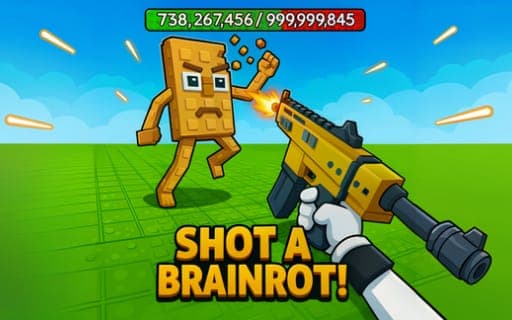
Shot a Brainrot!
Game by Playgama. The provider may show ads and use cookies. Learn more
- Category
- Action
- Platform
- Web browser
- Provider
- Playgama
- Price
- Free to play
About Shot a Brainrot!
Shot a Brainrot! is a 3D shooter set in a meme universe. The task is easy to describe: defeat the enemies you meet across a series of dynamic battle scenes. The opponents are built to be challenging, so each encounter asks you to keep moving, line up your shots and pick the right gun for the fight in front of you.
Several different weapons are available, and swapping between them with the mouse wheel lets you adapt to each encounter. On a computer the controls split attacking and aiming across the two mouse buttons, with a run key, a jump, a reload key and an interact key for objects in the arena. Running and jumping help you reposition, while the separate aim button is there for the precise shots that tougher opponents demand. Every battle is won by taking the enemy down before it does the same to you.
Game provided by Playgama
How to play Shot a Brainrot!
Objective
Defeat the enemies in each battle with the weapons at your disposal, aiming carefully and switching guns to suit the opponents you face.
Controls
Desktop
- W, A, S, D: move your character
- Shift: run
- Space Bar: jump
- Mouse: rotate the camera
- Left mouse button: attack
- Right mouse button: aim
- R: reload
- E: interact with objects
- Mouse wheel: change weapon
Getting started
- Walk around using W, A, S, D, turning the camera with the mouse to get a look at the battle scene.
- Use Shift to run between positions and press the Space Bar to jump over anything in your path.
- Press the right mouse button to aim, then the left mouse button to attack the enemy in your sights.
- Press R to reload when your weapon needs it, and use E to interact with objects you come across.
- Scroll the mouse wheel to switch between the different weapons and keep fighting until every enemy is defeated.
Tips
- Bring up your aim on the right mouse button before attacking; the opponents are designed to be challenging, and precise shots finish them faster than wild firing.
- Try each of the several weapons early with the mouse wheel, so you already know which one suits a close fight and which suits distance.
- Press E on objects you pass; interacting with the arena is a separate action from fighting, and it is easy to forget in the middle of a battle.
- Combine Shift and the Space Bar to cross open ground between fights, then slow down and aim once an enemy is in range.
Play in your browser. No download needed.
Shot a Brainrot! FAQ
What are the controls for Shot a Brainrot!?
W, A, S, D moves, Shift runs, the Space Bar jumps and the mouse turns the camera. Attack with the left mouse button, aim with the right, reload with R, interact with E and change weapons with the mouse wheel.
How do you switch weapons?
Scroll the mouse wheel. The game has several different weapons, and cycling through them lets you choose the one that fits the fight in front of you without stopping to open a menu.
What is the goal in each battle?
Defeat your enemies. Each battle scene puts challenging opponents in front of you, and you win by taking them down with the weapons available, using aim, movement and well-timed reloads.
What device suits it best?
A computer with a mouse. Every action, from moving with W, A, S, D to aiming with the right mouse button and changing weapons with the wheel, is mapped to keys and mouse buttons.