
World of Military Tanks
Free to play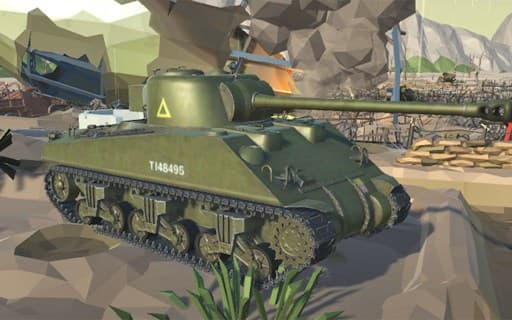
World of Military Tanks
Game by GamePix. The provider may show ads and use cookies. Learn more
- Category
- Action
- Platform
- Web browser
- Provider
- GamePix
- Price
- Free to play
About World of Military Tanks
World of Military Tanks is a tank combat game in which you pick a tank and head out on missions to destroy the enemy. The missions cover several styles of fight: base defense, survival and 5v5 battles between two teams of tanks. In each one, the goal is to complete the mission objective, which comes down to destroying enemy tanks.
Aiming has its own small routine. You point the scope at an enemy tank, and once the target is captured the scope turns red; firing when the red circle appears is how you land hits. Completing missions earns rewards, and those go back into a large selection of tanks that you can buy and upgrade. On a computer you drive with WASD and use the mouse to aim and fire, while phones get on-screen buttons and touch camera control.
Game provided by GamePix
How to play World of Military Tanks
Objective
Complete each mission objective by destroying enemy tanks, earn rewards, and use them to buy and upgrade better tanks from the large selection.
Controls
Desktop
- WASD: drive the tank
- Right mouse button: aim through the sight
- Left mouse button: fire
- P: pause
Mobile
- Arrow buttons: move the tank
- Touch: control the camera
- Sight button: aim through the sight
- Fire button: shoot
- Pause button: pause the game
Getting started
- Choose your tank from the selection, then pick a mission type such as base defense, survival or a 5v5 battle.
- Drive with WASD on a computer, or with the arrow buttons on a phone, and head toward the enemy.
- Aim with the right mouse button or the sight button, pointing the scope at an enemy tank.
- Wait until the scope turns red and a red circle appears, then fire with the left mouse button or the Fire button.
- Complete the mission objective to collect your reward, then spend it on buying or upgrading tanks.
Tips
- Hold your fire until the scope turns red; a captured target with the red circle showing is the moment your shot is meant to land.
- Put early rewards into upgrading one tank you like before spreading them around, so you have a strong option for 5v5 battles and survival.
- On a phone, use touch to swing the camera toward threats, then switch to the sight button only when you are ready to line up a shot.
Play in your browser. No download needed.
World of Military Tanks FAQ
How do you shoot in World of Military Tanks?
Point the scope at an enemy tank. When the target is captured the scope turns red, and you should fire once a red circle appears. On a computer, the right mouse button aims and the left mouse button fires.
What mission types does World of Military Tanks have?
There are base defense missions, survival missions and 5v5 battles. Whatever the type, the aim is to complete the mission objective and destroy enemy tanks, which earns rewards for buying and upgrading tanks.
How do you control a tank on a phone?
Arrow buttons drive the tank, touch controls the camera, and separate buttons handle firing, the sight and pausing. The screen is set out wide, so a horizontal grip works best.