
The Room
Free to play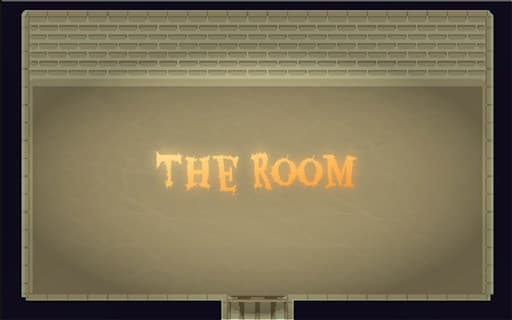
The Room
Game by GamePix. The provider may show ads and use cookies. Learn more
- Category
- Action
- Platform
- Web browser
- Provider
- GamePix
- Price
- Free to play
About The Room
The Room is drawn in simple pixel art and seen from above: a stone chamber with a brick back wall, a doorway at the bottom and a single yellow tile in the middle of the floor. Your character is a small brown-haired gunner standing just below that tile. White ghosts, each with a red health bar over its head, drift in from the edges and through the doorway, and a long bar across the top of the screen reads 0 / 10. The title screen is just the pixel name with Play and Settings underneath.
The game's description casts you as the defender of your domain's heart against waves of enemies, and the yellow tile at the centre is the obvious candidate. A ghost reaching it is followed by a You Lost! screen offering Try Again and Return to the main menu. On phones the room gains two joystick rings in the bottom corners, and small red squares sit just outside the walls.
Game provided by GamePix
How to play The Room
Objective
Protect the heart of the room from the white ghosts that float in from every side, shooting them down before any of them reach the yellow tile at the centre.
Controls
Desktop
- Arrow keys: move the gunner around the room
- Play (title screen): start a round
- Try Again (after a loss): restart the round
- Return to the main menu: go back to the title
Mobile
- Two joystick rings (bottom corners): the on-screen sticks for moving and for the gun
- Tap Play: start a round
Getting started
- On the dark title screen, choose Play; Settings sits just below it if you want to adjust options first.
- Find your gunner near the centre of the stone room, with the yellow tile just above him that the ghosts are after.
- Use the arrow keys to walk around the floor and put yourself between the ghosts and the yellow tile.
- Watch for white ghosts with red health bars entering through the walls and the bottom doorway, and deal with the closest first.
- If a ghost gets through, the You Lost! screen offers Try Again or Return to the main menu.
Tips
- Ghosts arrive from several sides at once, even through the walls, so stay close to the yellow tile instead of chasing one ghost into a corner.
- The red bar over each ghost is its health, which tells you which one will fall quickest when several are closing in.
- Keep an eye on the 0 / 10 bar across the top; it is the only counter on screen during a round.
- On a phone, keep both thumbs on the joystick rings in the lower corners, since those are the only controls drawn on the screen.
Play in your browser. No download needed.
The Room FAQ
How do you move in The Room?
On a computer the arrow keys walk the gunner around the stone floor in every direction. On a phone, two joystick rings appear in the bottom corners of the screen to handle movement and the gun.
What ends a round in The Room?
A ghost reaching the yellow tile in the middle of the room, the heart you are defending, brings up the You Lost! screen. From there, Try Again restarts and Return to the main menu goes back to the title.
What are the red bars above the ghosts?
They are health bars. Each white ghost that floats in carries one, so you can see how close it is to being destroyed while you fight off the rest of the wave.