
Obby: Battle Arena
Free to play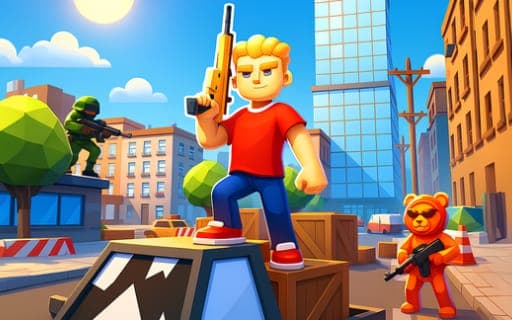
Obby: Battle Arena
Game by Playgama. The provider may show ads and use cookies. Learn more
- Category
- Action
- Platform
- Web browser
- Provider
- Playgama
- Price
- Free to play
About Obby: Battle Arena
Obby: Battle Arena is a third-person shooter built around arena fights. Before a match you choose a game mode and the map you want to play on, then drop in with your guns. Weapons sit on the number keys 1 to 4, and you aim with the right mouse button and fire with the left, reloading with R when the magazine runs low.
Movement carries its own small trade-off. Keeping your weapon out means you are ready to shoot, but putting it away makes you quicker: Shift breaks into a fast run with the weapon hidden, and F holsters the gun to raise your movement speed. A leaderboard sits on Tab so you can check standings during a match, and the Esc key opens the game menu. Away from the fighting, many skins and extra accessories let you change how your character looks.
Game provided by Playgama
How to play Obby: Battle Arena
Objective
Win fights in the arena by moving, aiming and shooting well, choosing the right moments to hide your weapon for extra speed in the mode and map you picked.
Controls
Desktop
- W, A, S, D: move
- 1, 2, 3, 4: switch weapons
- Left mouse button: shoot
- Right mouse button: aim
- R: reload
- Shift: fast run with the weapon put away
- F: hide the weapon to move faster
- Esc: open the game menu
- Tab: show the leaderboard
Getting started
- Choose a game mode and pick one of the available maps before the match starts.
- Run around on W, A, S, D and check which weapons you have on the number keys 1 to 4.
- Aim with the right mouse button and shoot with the left, pressing R to reload between bursts.
- Press F to hide your weapon or use Shift for a fast run when you need to cross open ground quickly.
- Open the leaderboard with Tab to see how you are doing, and press Esc whenever you need the game menu.
Tips
- Put the weapon away with F or sprint with Shift only when no enemy is near, since both trade your readiness to fire for extra speed.
- Learn which gun sits on each of the keys 1 to 4, so you can jump straight to the right one instead of cycling through every slot.
- Glance at the leaderboard with Tab between fights to judge whether to play more carefully or push harder for results.
- Try more than one mode and map from the selection screen; each match starts with that choice, and different arenas reward different approaches.
Play in your browser. No download needed.
Obby: Battle Arena FAQ
How do you move faster in Obby: Battle Arena?
Hide your weapon. Pressing F puts the gun away and increases your movement speed, and Shift gives a fast run that also hides the weapon. Either way you give up being ready to shoot in exchange for speed.
Can you customize your character?
Yes. A large selection of skins and extra accessories lets you change how your fighter looks in the arena, on top of choosing the game mode and map before each match.
What do the number keys do?
Keys 1, 2, 3 and 4 switch between weapons. Together with the right mouse button to aim, the left to shoot and R to reload, they make up the core of the shooting controls on a computer.
Is there a leaderboard?
Yes. Press Tab to open it during play. The Esc key opens the game menu instead, so keep the two apart when you only want a quick look at the standings.