
Run from 67
Free to play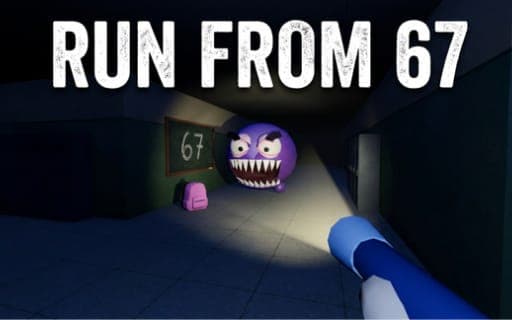
Run from 67
Game by Playgama. The provider may show ads and use cookies. Learn more
- Category
- Action
- Platform
- Web browser
- Provider
- Playgama
- Price
- Free to play
About Run from 67
Run from 67 turns a dark school into a first-person hide-and-seek arena. Each floor hides six backpacks, and collecting all of them opens the seventh door, which is the way out. Standing between you and that door is Sixseven, who never finds you by sight but follows every noise you make. The school has seven floors, each lit its own way: a total blackout, ultraviolet, sodium orange, emergency green, night blue, the pool and a fire alarm.
Noise is measured in metres. Sprinting can be heard from 20, walking from 10 and crouching from 4, while standing completely still makes no sound; jumps are quiet, but landings are not. A circle on the minimap shows your current hearing radius. The flashlight is a gamble: without it you see nothing, yet shining it at Sixseven makes him charge, and its battery lasts only about a minute. Thrown coins lure him away, lockers hide you completely, and burgers and cola boost stamina.
Game provided by Playgama
How to play Run from 67
Objective
Find all six backpacks on each floor, open the seventh door and get out of every floor of the school before Sixseven tracks you down by sound.
Controls
Desktop
- W, A, S, D: move
- Mouse: look around
- Shift: sprint
- C: crouch
- Space: jump, or leave a locker
- E: open a door, hide in a locker, or hold at a charging panel
- Q: throw a coin
- F: flashlight on or off
- P: pause
Mobile
- Left stick: move; push it fully forward to sprint
- Drag across the right half of the screen: look around
- Double tap: jump
- Hand button: open doors and lockers
- Tap the battery: switch the flashlight on or off
- Bottom-left button: crouch
Getting started
- Check the minimap circle as you set off, since it shows how far away Sixseven can hear you at that moment.
- Walk or crouch through the first floor with W, A, S, D and C, or the left stick, searching rooms for backpacks.
- Switch the flashlight on with F or the battery icon only when needed, and recharge it by holding E at a wall panel.
- If Sixseven gets close, press E to climb into a locker and wait, then press Space to get back out.
- Collect the sixth backpack to open the seventh door, then head through it to leave the floor.
Tips
- Stand completely still when Sixseven is nearby; it is the only state that makes no noise at all, quieter even than crouching.
- Never point the flashlight at Sixseven, because the beam makes him charge across the floor even if you have been perfectly silent.
- Throw a coin with Q to the far side of a room before slipping past; its own radius on the map shows exactly where he will go.
- Save sprinting for emergencies, since it drains the blue stamina bar and carries 20 metres; a burger raises the bar for good, and cola gives 10 seconds of unlimited sprint.
- Jumping itself is quiet but the landing is not, so avoid hopping over things when he is within earshot.
Play in your browser. No download needed.
Run from 67 FAQ
How does Sixseven find you in Run from 67?
By sound alone. Sprinting is audible from 20 metres, walking from 10 and crouching from 4, and standing still makes no noise. The minimap circle shows your current radius, so keep it small when he is near.
What does the flashlight do?
It lets you see, since the school is too dark without it, but it carries a risk. Shine it at Sixseven and he charges straight at you, and the battery lasts about a minute before you need to hold E at a wall panel.
Are lockers safe in Run from 67?
Yes. Once you climb in with E, Sixseven has no way of spotting you, even when he passes right by the locker. Press Space when the coast is clear to get back out and carry on searching for backpacks.
How do you play Run from 67 on a phone?
The left stick moves you and sprints when pushed fully forward, dragging on the right side looks around and a double tap jumps. Doors and lockers open with the hand button, a tap on the battery switches the flashlight, and the crouch button sits bottom left.