
Loopvival
Free to play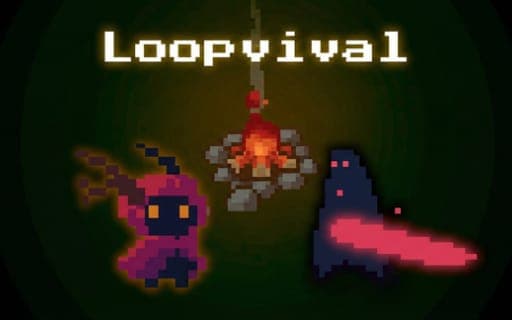
Loopvival
Game by Playgama. The provider may show ads and use cookies. Learn more
- Category
- Action
- Platform
- Web browser
- Provider
- Playgama
- Price
- Free to play
About Loopvival
Loopvival is a moody survival game with roguelite elements, set in a world that Darkness has swallowed. The only light comes from a bonfire at the centre of the map, and everything you do revolves around it. You explore, extract resources, fight the minions of Darkness and pour what you gather into strengthening the fire and rebuilding ruins, the last traces of the world that came before.
The twist is the loop. For reasons nobody explains, the world resets at the end of every cycle and returns to its starting state. The bonfire is the one permanent thing: its progress and your key improvements survive each reset, so every cycle lets you reach a little deeper into the Darkness and unlock new territory. The pace is meditative rather than frantic, and the story of the lost world comes out gradually as the ruins are restored.
Game provided by Playgama
How to play Loopvival
Objective
Grow the bonfire, rebuild the ruins and push into new territory over repeated cycles, carrying your fire's progress forward until you break the loop and overcome the Darkness.
Controls
Desktop
- W, A, S, D: move
- Left mouse button or Space: attack
- E: interact
- Q: switch the resource you add to the ruins
Mobile
- Left on-screen joystick: move
- A-button: attack
- E-button: interact
- Q-button: switch the resource you add to the ruins
Getting started
- Start beside the bonfire at the centre of the map and look around, since it is the only light in the world.
- Head out with W, A, S, D or the left joystick and extract resources from the land around the fire.
- Fight off minions of Darkness with the left mouse button, Space or the A-button when they come at you.
- Bring resources back to boost the fire, and press E at a ruin to rebuild it, using Q to choose which resource goes in.
- When the cycle resets, return to the stronger fire and push further into the Darkness to unlock new territory.
Tips
- Only the bonfire's progress and key improvements survive a reset, so put resources into the fire and lasting upgrades before a cycle ends.
- Use Q to pick the right resource before adding to a ruin, so you do not spend a material the fire needs more.
- Each cycle lets you reach further than the last, so use early loops to learn the area near the fire and later ones to scout new territory.
- Rebuilt ruins reveal the story of the lost world, so restoring them pays off in lore as well as in progress.
Play in your browser. No download needed.
Loopvival FAQ
What happens when the loop resets in Loopvival?
The world returns to the beginning, but the bonfire keeps its progress, along with your key improvements. That lets each new cycle start stronger and reach a bit deeper into the Darkness than the one before.
What controls does Loopvival use on mobile?
A joystick on the left of the screen moves you, the A-button attacks and the E-button interacts. The Q-button switches which resource you add to the ruins, matching the Q key on desktop.
What is the goal of Loopvival?
End the loop for good and defeat the Darkness. You do it by gathering resources, strengthening the bonfire, rebuilding the ruins and unlocking new territories, all while fending off the minions of Darkness.