
FPS Gun Shooting Game 3D
Free to play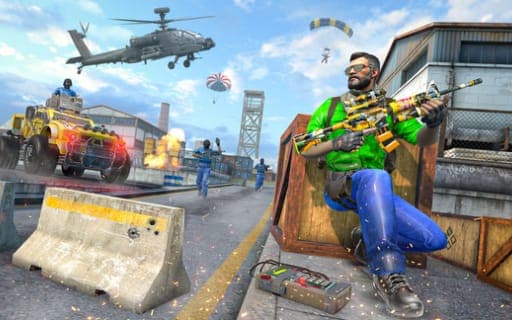
FPS Gun Shooting Game 3D
Game by Playgama. The provider may show ads and use cookies. Learn more
- Category
- Action
- Platform
- Web browser
- Provider
- Playgama
- Price
- Free to play
About FPS Gun Shooting Game 3D
FPS Gun Shooting Game 3D is a first-person military shooter in which you lead a commando unit against terrorist enemies. The task in every mission is the same at heart: take down the hostile shooters and keep your own team alive. Missions are framed by a storyline, and the action moves across several maps and game modes, from frontline firefights to sniper assignments.
Progress comes from playing regularly. Daily missions give you a reason to return, experience raises your player level, and higher levels unlock more powerful modern weapons. The controls have one quirk worth knowing in advance: the right mouse button fires, while the left one zooms and aims, which is the reverse of many shooters. Movement runs on the arrow keys, with Shift for sprinting, the Spacebar for jumping and G for throwing a bomb. Matches can be played alone or against other players.
Game provided by Playgama
How to play FPS Gun Shooting Game 3D
Objective
Eliminate the enemy shooters in each mission while keeping your team alive, raising your player level to unlock stronger weapons.
Controls
Desktop
- Arrow keys: move
- Shift + arrow keys: sprint
- Right mouse button: shoot
- Left mouse button: zoom and aim
- G: throw a bomb
- Spacebar: jump
Getting started
- Pick a mission and get moving with the arrow keys, holding Shift with them when you need to sprint.
- Hold the left mouse button to zoom and aim at an enemy shooter, then press the right mouse button to fire.
- Press G to throw a bomb and the Spacebar to jump whenever the fight calls for it.
- Eliminate every hostile shooter while keeping your teammates alive to complete the mission.
- Take on daily missions and sniper assignments to earn experience, raise your player level and unlock more powerful weapons.
Tips
- Fire sits on the right mouse button and aim on the left, so practise the swap early to avoid wasted shots in your first firefights.
- Keeping your team safe is part of the objective, so deal with enemies threatening teammates before chasing distant targets.
- Play the daily missions whenever they are available, since the experience from them raises your player level and unlocks stronger weapons.
Play in your browser. No download needed.
FPS Gun Shooting Game 3D FAQ
Which mouse button shoots in FPS Gun Shooting Game 3D?
The right mouse button shoots, and the left mouse button zooms and aims. That is reversed compared with many shooters, so take a few practice shots before your first serious mission.
Can you play FPS Gun Shooting Game 3D offline?
Yes. It supports offline play as well as online multiplayer, so you can take on missions alone or join matches with other players whenever you prefer company.
How do you unlock new weapons?
Raise your player level. Completing missions, including daily missions and sniper assignments, earns experience, and as your level climbs, more powerful modern weapons become available.
How do you throw a bomb?
Press the G key to throw a bomb. It sits alongside the other key actions: the arrow keys to move, Shift with the arrows to sprint and the Spacebar to jump.