
Magikmon
Free to play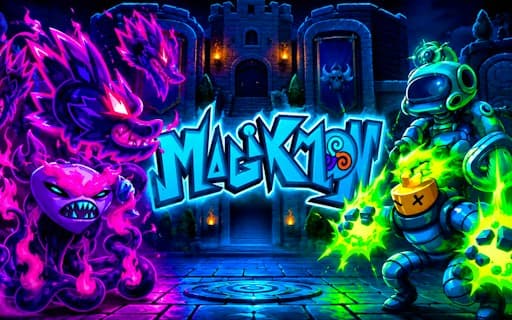
Magikmon
Game by GamePix. The provider may show ads and use cookies. Learn more
- Category
- Action
- Platform
- Web browser
- Provider
- GamePix
- Price
- Free to play
About Magikmon
Magikmon opens on a tall, dark-blue title screen. The spiky MAGIKMON logo keeps changing colour, from orange to teal to purple, above a glowing cluster of characters: a blonde girl raising a shining blade, a dark-haired girl in a purple jacket at the front, a snarling purple dragon-like monster and an orange creature behind them, all standing on a cyan glow. Three identical NEW GAME plaques line the bottom, a profile button sits in the top-left corner, and a speaker button and a flag button with a small dropdown arrow sit in the top-right.
The three NEW GAME plaques look like separate save slots, so more than one adventure can be kept going. The game's description fills in the rest: you capture and train quirky creatures, assemble a monster team, fight battles with it and explore a magical world with surprises tucked away, a classic collect-and-train role-playing loop. The flag button suggests the text can be switched to another language.
Game provided by GamePix
How to play Magikmon
Objective
Catch and train quirky creatures, shape them into a strong monster team and win battles while exploring the magical world for its hidden surprises.
Controls
Desktop
- NEW GAME plaques (bottom): start an adventure in one of three slots
- Flag button with dropdown (top right): choose a language
- Speaker button: switch the sound
Mobile
- NEW GAME plaque: begin an adventure
- Speaker icon (upper right): mute or unmute
Getting started
- Wait for the title screen with the colour-shifting MAGIKMON logo and the four characters on their cyan glow.
- Need another language? The flag button with the small arrow, top right, is where to change it.
- Set the speaker button above it if you would rather play without sound.
- Pick one of the three NEW GAME plaques along the bottom; each appears to be its own save slot.
- Once inside, catch your first creatures and start training them, since your team is built only from what you capture.
Tips
- With three NEW GAME plaques side by side, separate players or separate runs can each keep an adventure without overwriting the others.
- Build a team from different kinds of creature rather than training one favourite; the title art alone mixes a dragon, a beast and two very different heroes.
- Explore between battles, since the description promises surprises tucked around the magical world, and well-trained creatures make later fights easier.
- The profile button at the title screen's upper left is the only other option there, so check it before starting.
Play in your browser. No download needed.
Magikmon FAQ
Why are there three NEW GAME buttons in Magikmon?
The title screen shows three identical NEW GAME plaques along the bottom, and they appear to be separate slots. Each can hold its own adventure, so different players or different runs do not have to share one save.
What do you do in Magikmon?
You catch quirky creatures, train them and build a monster team, then take that team into battles while exploring a magical world. The title art shows the mix: two young heroes, a purple dragon-like monster and an orange creature.
Can the language be changed in Magikmon?
A flag button with a small dropdown arrow sits in the top-right corner of the title screen, under the speaker button. It is the place to look for a different language before you start a NEW GAME.