
Build Your Zombie Horde
Free to play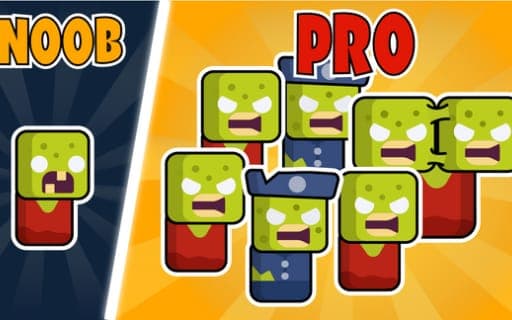
Build Your Zombie Horde
Game by Playgama. The provider may show ads and use cookies. Learn more
- Category
- Action
- Platform
- Web browser
- Provider
- Playgama
- Price
- Free to play
About Build Your Zombie Horde
Build Your Zombie Horde is a light strategy autobattler that puts you on the side of the undead. Your main action is summoning: each click or tap brings another zombie onto the battlefield, and from there the horde fights on its own. Enemies fall, resources come in, and the cycle starts over.
The strategy lies in what you do with those resources. They pay for upgrades to your army, and a stronger horde can push forward and conquer new lands. You do not steer individual zombies; instead, you decide when to summon, look over the fight by moving the camera, and on a phone pinch to zoom in or out on the field. Desktop players can pause at any moment with P. The rules are few and the pace is relaxed, so attention stays on the army as it grows from a handful of walkers into a horde.
Game provided by Playgama
How to play Build Your Zombie Horde
Objective
Summon zombies to defeat the enemies on the battlefield, collect resources from each fight, and upgrade your army until it can conquer new lands.
Controls
Desktop
- Click with any mouse button: summon a zombie
- Hold any mouse button while moving the cursor: pan the camera
- P: pause
Mobile
- Tap anywhere: summon a zombie
- Hold a finger and move it: move the camera
- Pinch with two fingers: zoom the battlefield view
Getting started
- Click anywhere on the battlefield, or tap anywhere when playing on a phone, to summon your first zombie.
- Keep summoning to build a horde, then let the autobattle play out as your zombies take on the enemies.
- Keep a mouse button held while moving the cursor, or hold a finger down and slide it, to pan over the fight.
- Collect the resources from the battle and spend them on upgrades for your army.
- Push on with the stronger horde to conquer new lands, pressing P on a computer whenever you need a pause.
Tips
- Upgrades are what turn a crowd of summons into a conquering army, so spend resources on them between pushes rather than hoarding.
- On a phone, pinch outward with two fingers to see more of the battlefield before you decide where to tap for the next zombie.
- Press P on a computer when a battle gets busy, then pan the camera across the field to check how the fight is going before carrying on.
Play in your browser. No download needed.
Build Your Zombie Horde FAQ
How do you summon zombies in Build Your Zombie Horde?
Click anywhere with any mouse button on a computer, or tap anywhere on the screen of a phone. Each summon adds a zombie to your horde, and the fighting then runs automatically as your undead take on the enemies.
How do you move the camera and zoom?
On a computer, keep a mouse button pressed while moving the cursor to pan. On a phone, hold your finger down and slide it to pan, and pinch two fingers together or apart to zoom the view.
What are resources used for?
Resources you collect from beating enemies go into upgrading your army. A stronger horde can win bigger fights and conquer new lands, so the loop is summon, defeat enemies, collect, upgrade and push forward.