
Army Force War
Free to play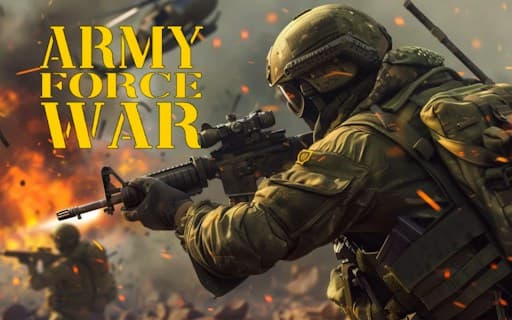
Army Force War
Game by GamePix. The provider may show ads and use cookies. Learn more
- Category
- Action
- Platform
- Web browser
- Provider
- GamePix
- Price
- Free to play
About Army Force War
Army Force War is a battlefield shooter made in the spirit of an established series of war games. You choose from several classes of fighters, and each class comes with its own arsenal and special skills, so the class you pick shapes how you play a match. Whatever the class, the aim stays the same: help your team win the fight in front of you.
There is plenty of content behind that. The game counts 4 maps, 4 game modes, 22 weapons and 88 levels, plus emblems and cards. On a computer it plays like a traditional shooter: WASD to move, the left mouse button to shoot, the right one to aim, the space bar to jump, G for a grenade and the scroll wheel or keys 1 to 4 to switch weapons, with Tab for the menu. On phones, on-screen buttons take over and shooting starts automatically while you aim.
Game provided by GamePix
How to play Army Force War
Objective
Help your team win battles across the maps and game modes by choosing a fighter class and making good use of its arsenal and special skills.
Controls
Desktop
- WASD: move
- Left mouse button: shoot
- Right mouse button: aim
- Space bar: jump
- G: throw a grenade
- Scroll wheel or keys 1-4: change weapons
- Tab: open the menu
Mobile
- On-screen buttons: move and fight
- Aiming: shooting starts automatically while you aim
Getting started
- Pick a class of fighter, looking at its arsenal and special skills, since each class plays differently.
- On a computer, move with WASD, aim with the right mouse button and shoot with the left one.
- Use the space bar to jump, G to throw a grenade and the scroll wheel or keys 1 to 4 to switch weapons.
- On a phone, turn it sideways and use the on-screen buttons; shooting happens automatically while you aim.
- Work through the 88 levels, trying the 4 game modes and 4 maps as you get to know the 22 weapons.
Tips
- Aim before you fire. The right mouse button aims and the left one shoots, so steadying your aim first makes each shot count.
- Learn the number keys. Keys 1 to 4 change weapons directly, which is quicker to reach under fire than rolling the scroll wheel.
- Choose your class for the team, not just yourself. Each class brings special skills meant to help the team win, so cover what your side lacks.
- On phones, let the automatic fire do its work: shooting begins as soon as you aim, so concentrate on keeping enemies in your sights.
Play in your browser. No download needed.
Army Force War FAQ
What are the controls for Army Force War on a computer?
WASD moves, the left mouse button shoots and the right one aims. The space bar jumps, G throws a grenade, Tab opens the menu, and the scroll wheel or keys 1 to 4 change weapons.
How does Army Force War work on a phone?
On phones the game uses on-screen control buttons, and shooting is automatic while you aim. Hold the phone in landscape so the controls and the battlefield both have room.
How much content does Army Force War have?
It lists 4 maps, 4 game modes, 22 weapons and 88 levels, plus emblems and cards. There are also several classes of fighters, each with its own arsenal and special skills.