
War of Tanks 3D
Free to play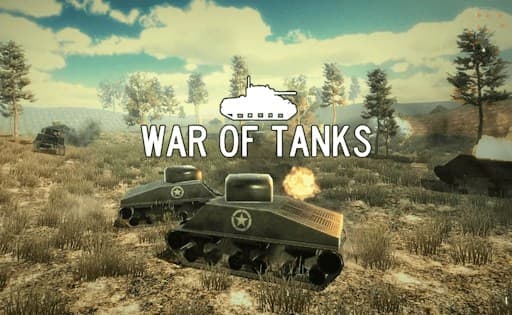
War of Tanks 3D
Game by GamePix. The provider may show ads and use cookies. Learn more
- Category
- Action
- Platform
- Web browser
- Provider
- GamePix
- Price
- Free to play
About War of Tanks 3D
War of Tanks 3D is a third-person tank fight on an open grassy plain dotted with tall pines, low hills and grey concrete bunkers. Even the title screen is a live battle, with olive-green tanks trading tracer fire behind the WAR OF TANKS logo. In a match the camera sits behind your own tank, marked with a white star on its hull. A star icon with your score sits top left, a health cross reading 100 top right, and under it a crosshair figure that shows 1 when a shell is ready and a rising percentage while the gun reloads. A circular radar marks nearby units with green triangles.
Driving and aiming are split: the hull moves on W, A, S and D while the turret follows the arrow keys or the mouse, so you can roll one way and shoot another. A zoom key tightens the sight for distant targets and Q swaps weapons. The game's description stresses using the terrain and out-manoeuvring enemies, which fits the pause after every shell.
Game provided by GamePix
How to play War of Tanks 3D
Objective
Destroy the enemy tanks around the plain while keeping your health above zero, using cover, the turret's independent aim and well-timed shots between reloads.
Controls
Desktop
- W, A, S, D keys: drive the tank
- Arrow keys or mouse movement: turn the gun turret and camera
- Space bar or left mouse button: fire
- E key or right mouse button: zoom the sight
- Q key: switch weapon
Getting started
- On the WAR OF TANKS title screen, watch the background tanks fight for a moment, then use PLAY to move on.
- Read the controls card that follows: Tank move on WASD, Gun move on the arrow keys or mouse, Fire on Space or left button, Zoom on E, Switch weapon on Q.
- Once the match loads, check the HUD: star score top left, health cross at 100 top right and the crosshair figure under it.
- Swing the turret with the mouse to find an enemy, using the radar's green triangles in the top-right circle as a guide.
- Fire when the crosshair figure shows 1, then move with WASD while the percentage climbs back up during the reload.
Tips
- Watch the number beside the crosshair: it reads 1 when a shell is loaded and turns into a rising percentage after each shot, so time attacks to the reload.
- Because the turret turns separately from the hull, keep driving toward cover with WASD while the mouse keeps the gun on target.
- Grey bunkers and the pine stands make useful shields; park behind them while the reload percentage climbs back to a ready shell.
- Use E or the right mouse button to zoom before long shots across the plain, and Q to try the other weapon when a target sits in cover.
Play in your browser. No download needed.
War of Tanks 3D FAQ
What are the controls in War of Tanks 3D?
W, A, S and D drive the tank, the arrow keys or the mouse turn the gun, Space or the left mouse button fires, E or the right mouse button zooms and Q switches weapon. The game shows this card before the first match.
What do the numbers on the War of Tanks 3D screen show?
A star counter that starts at 0 sits at the top left, and a health cross reading 100 sits at the top right. A round radar with green triangles appears in the corner, and the figure beside the crosshair switches to a percentage after you fire and then counts back up.
What does the 8% next to the crosshair mean in War of Tanks 3D?
It is the reload meter for your gun. Right after a shot the figure drops to a low percentage and climbs back up, so wait for it to fill before the next shot instead of clicking again while the barrel is still reloading.