
Halloween Stickman 2
Free to play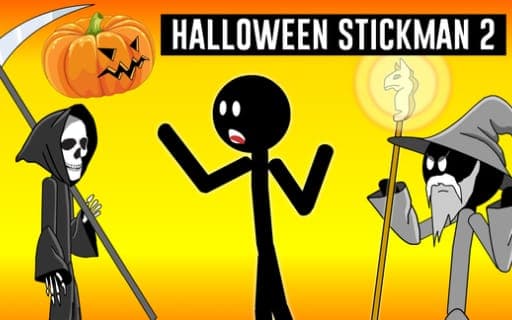
Halloween Stickman 2
Game by Playgama. The provider may show ads and use cookies. Learn more
- Category
- Action
- Platform
- Web browser
- Provider
- Playgama
- Price
- Free to play
About Halloween Stickman 2
Halloween Stickman 2 brings back the prank-loving Stickman for a holiday round of payback. He is your trickster friend, and this time the festive chaos gives you the chance to outsmart him and get even. Each scene plays out as a short story animation, and once it reaches its moment, the choice of what happens to Stickman is yours.
The interaction is about choosing rather than reflexes. Buttons lay out the different ways to punish him, and part of the fun is going back to click each one so that every punishment gets seen. The setting leans into Halloween with a spooky, mischievous tone and dark comedy, so the outcomes lean spooky rather than sweet, always drawn in a simple stick-figure style.
Game provided by Playgama
How to play Halloween Stickman 2
Objective
Watch each story animation, then choose how to punish Stickman, working through the buttons until every punishment has been seen.
Controls
Desktop
- Mouse: click the buttons to choose how Stickman is punished
Mobile
- Finger or stylus: press the buttons to pick a punishment
Getting started
- Let the opening story animation play out to see what Stickman is up to this time.
- When the choice appears, look over the buttons, since each one stands for a different punishment.
- Click a button with the mouse, or press it with a finger or stylus, to pick a punishment and watch it play.
- Go back and try the other buttons, since the aim is to see all of the punishments on offer.
- Keep choosing until no button is left untried and Stickman has received every punishment the game holds.
Tips
- Try every button rather than settling on a favorite, because seeing all of Stickman's punishments is the point of the game.
- Watch the story animation closely before choosing; it shows the trickery you are paying him back for.
- Keep track of which buttons you have already pressed, so no punishment is missed on the way to seeing them all.
Play in your browser. No download needed.
Halloween Stickman 2 FAQ
How do you play Halloween Stickman 2?
Watch the story animation, then choose a way to punish Stickman by clicking one of the buttons. Try them all to see every punishment. A computer mouse runs the game on desktop, and a finger or stylus does the job on a mobile device.
Who is Stickman in this game?
He is your trickster friend, the one causing the mischief. The game frames the Halloween chaos as your chance to outsmart him and take revenge, which is where the choice of punishments comes in.
Is Halloween Stickman 2 suitable for young kids?
It has a spooky Halloween theme built around punishing a stick figure, so the humor is dark even though the art is simple. Parents may want to look at the scenes first before handing it to a young child.