
Tide & Powder
Free to play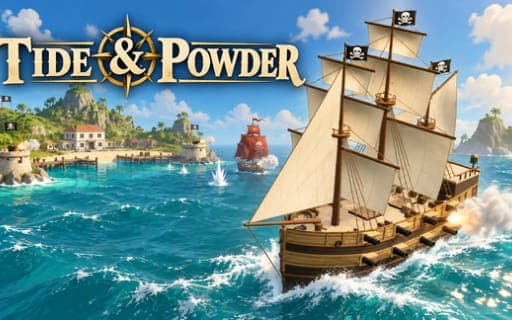
Tide & Powder
Game by Playgama. The provider may show ads and use cookies. Learn more
- Category
- Action
- Platform
- Web browser
- Provider
- Playgama
- Price
- Free to play
About Tide & Powder
Tide & Powder is a single-player pirate sailing roguelike in 3D. You captain a small warship along tropical islands, rugged coasts and harbour towns, reading the wind and the coastline as you hunt enemy vessels, and each voyage builds toward an assault on a fortified pirate island.
Combat is about positioning. Your port and starboard broadsides only bear when you turn side-on, the bow and stern guns cover targets ahead and behind, and every gun bank reloads on its own timer, so volleys need timing. Sail settings, wind, firing arcs and islands all change how a fight plays out. Sinking a ship lets you sail over to what is left of it, scoop up gold and pick one upgrade from weapons, crew, rigging or hull, while harbours sell repairs and stronger ships. Enemies toughen as your own ship improves. Wrecking the island's batteries and its central powder magazine completes the operation, and progress saves automatically.
Game provided by Playgama
How to play Tide & Powder
Objective
Build a stronger warship through battles, salvage and harbour visits, then wreck the batteries guarding the pirate island and blow up its powder magazine to finish the operation.
Controls
Desktop
- A or Left Arrow: steer left
- D or Right Arrow: steer right
- Q: fire the port (left) broadside
- E: fire the starboard (right) broadside
- W: fire the bow guns
- S: fire the stern guns
- 1, 2 and 3: furl the sails, set half sails or set full sails
- Spacebar: cycle through the sail settings
- F: salvage a wreck, enter a harbour or refloat when prompted
- Esc or P: pause
- Mouse: click on-screen controls, pick upgrades and use harbour menus
Mobile
- Steering buttons: press and hold left or right to turn the ship
- Sail control: tap to cycle sails, or pick furled, half or full when three buttons show
- Cannon buttons: tap a gun bank once it is ready to fire
- Interaction prompt: tap near a wreck to salvage it or near a harbour to dock
- Upgrade cards: tap one to choose it
- Harbour menu: tap to repair the hull or buy a ship with gold
- Pause button: tap to stop play, carry on or adjust sound
Getting started
- Check the wind and choose a sail setting with 1, 2 or 3, or the Spacebar, then steer with A and D or the Left and Right Arrow.
- Close on an enemy ship and turn side-on so a broadside lines up, firing to port with Q and to starboard with E.
- Use W for the bow guns and S for the stern guns when a target sits ahead or behind, waiting for each bank to reload.
- After a ship sinks, sail up to the wreck and press F or tap the prompt to collect gold, then choose an upgrade card.
- Put into a harbour with F to repair the hull or buy a stronger ship, and follow the operation objectives toward the pirate island.
Tips
- Fire your gun banks one at a time rather than all together; because each bank reloads separately, staggered volleys keep a loaded battery ready.
- Plan each approach around the wind and nearby islands, because both decide how quickly you can turn side-on and bring a broadside to bear.
- Spend harbour gold on hull repairs before chasing bigger fights, since enemy ships scale up in danger as your own vessel gets stronger.
- If your ship needs refloating, press F as soon as the prompt appears and get back to open water before an enemy closes in.
Play in your browser. No download needed.
Tide & Powder FAQ
What do the Q, E, W and S keys do in Tide & Powder?
They fire your four gun banks. Q fires the port, or left, broadside and E fires the starboard, or right, broadside. W fires the bow guns at the front and S fires the stern guns at the rear, each with its own reload.
How do you win an operation in Tide & Powder?
Follow the operation objectives until you are ready to assault the fortified pirate island, then destroy its defensive batteries and the central powder magazine. That completes the operation, and you can start another voyage afterward.
Can Tide & Powder be played on a phone in portrait?
Yes. On-screen touch controls cover mobile play in either portrait or landscape. You hold the steering buttons to turn, tap the cannon buttons to fire, and tap upgrade cards and harbour options to make choices.
Does Tide & Powder save your voyage?
Yes, voyage progress saves automatically. When you come back, select Continue to return to the voyage you were on. Pause and sound options sit in the menu, and the pause button covers them on mobile.