
DTA 6
Free to play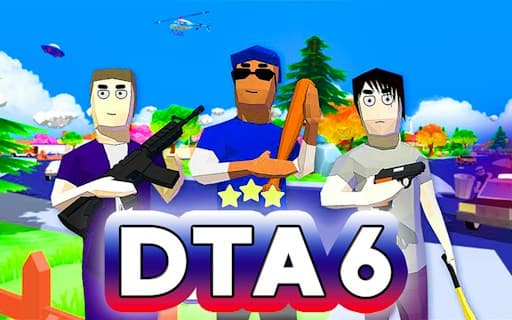
DTA 6
Game by GamePix. The provider may show ads and use cookies. Learn more
- Category
- Action
- Platform
- Web browser
- Provider
- GamePix
- Price
- Free to play
About DTA 6
DTA 6 is a 3D first-person sandbox set in a sparsely populated town whose residents are geometric ragdolls that talk in memes. You are the only one with full control over your own limbs, and there is no set mission list, so the day is yours to shape. You start with a little money, can take vehicles off the street, visit shops and gradually build a weapon arsenal.
Crime has consequences. Committing one earns a Wanted Level, shown as stars, and the higher it climbs, the more police chase you; fighting them off brings it back down, but being taken down means starting over. Your phone buys vehicles, raises money and saves progress, and a slow-time power helps when the streets turn chaotic. Some pedestrians turn hostile if you get too close, and defeated people drop cash.
Game provided by GamePix
How to play DTA 6
Objective
There is no fixed goal: explore the town, gather money, vehicles and weapons, and keep your Wanted Level under control so the police never take you down.
Controls
Desktop
- Cursor: look around and aim
- Left mouse button: attack or fire
- Right mouse button: precise aim
- Mouse wheel: cycle through weapons
- W or Up Arrow: move forward, or accelerate in a vehicle
- S or Down Arrow: move backward, or reverse in a vehicle
- A/D or Left/Right Arrow: turn left or right
- Q: use the phone
- F: slow down time
- E: get in or out of a vehicle
- Ctrl: handbrake
- Shift: nitro
Getting started
- Use the cursor to look around and W, A, S and D or the arrow keys to walk, getting a feel for the town first.
- Check the corner map, which highlights useful spots such as weapon shops, and head to one early.
- Press E beside a vehicle to get in, then drive with the same keys, using Ctrl for the handbrake and Shift for nitro.
- Open your phone with Q to buy vehicles, raise money or save the game, and save before trying anything risky.
- When a fight starts, fire with the left mouse button, aim precisely with the right one and cycle weapons with the wheel.
Tips
- Keep your distance from pedestrians unless you want a fight, because some turn hostile up close and one attacker can pull a whole group in.
- When the police pile on, jump into a vehicle; the car shields you and helps you beat them back, which is also how the Wanted Level comes down.
- Press F to slow time when a brawl gets out of hand, giving you room to aim at the most dangerous attacker first.
- Save through the phone often, since being taken down means starting over from the beginning.
Play in your browser. No download needed.
DTA 6 FAQ
How do you lower your Wanted Level in DTA 6?
Fight off the police who are chasing you. The Wanted Level, shown as stars, rises when you commit crimes and brings more police the higher it gets, and beating them back brings it down again.
Can you save your progress in DTA 6?
Yes, through the in-game phone, which opens with Q. Saving matters because if you are ever taken down you have to start over, so it is worth saving before any big fight or police chase.
Does DTA 6 have a story or missions?
No set direction or main objectives are given. It is an open sandbox where you make your own fun, collecting cash, vehicles and weapons in whatever order you like and exploring the town freely.
Can DTA 6 be played in a phone browser?
It is marked as working in mobile browsers as well as on computers, in landscape. Its controls are all set up for mouse and keyboard, though, so a computer gives the most complete way to play.