
Angry Sharks
Free to play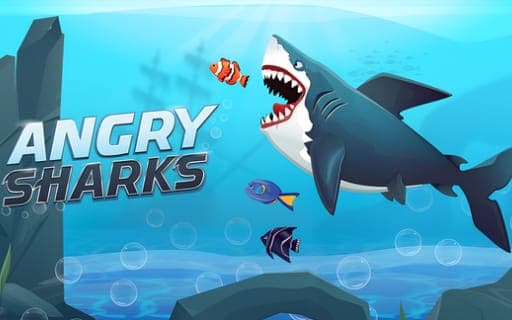
Angry Sharks
Game by Playgama. The provider may show ads and use cookies. Learn more
- Category
- Action
- Platform
- Web browser
- Provider
- Playgama
- Price
- Free to play
About Angry Sharks
Angry Sharks follows a shark that radiation has turned into something hungrier. Fish swim toward it, and every one it eats makes it bigger. Each level sets a target size, and reaching it clears the level, so growth is the direct measure of your progress. Meanwhile, humans are closing in, determined to destroy the mutated shark before it gets there.
Not everything in the water is food. Bigger fish and spiky fish have to be avoided, and the sea is full of other dangers too: barrels, mines, spears and assorted obstacles all put the shark at risk, so you have to weave around them. Movement is handled with the mouse cursor on a computer or your finger on a touch device, so the challenge lies in weaving between hazards while still eating enough to reach the size goal.
Game provided by Playgama
How to play Angry Sharks
Objective
Eat enough fish to grow the shark to the size each level demands, while avoiding bigger fish, spiky fish, mines, spears, barrels and human attacks.
Controls
Desktop
- Mouse cursor: steer the shark around the sea
Mobile
- Finger on screen: steer the shark on touch devices
Getting started
- Start the level knowing that the shark must grow to a set size before the stage is cleared.
- Move the shark with the mouse cursor, or with your finger on a touch device.
- Eat the small fish swimming toward you, and keep away from bigger fish and spiky ones.
- Steer around barrels, mines, spears and other obstacles, and watch for attacks from the humans hunting the shark.
- Keep eating until the shark reaches the required size and the level is cleared.
Tips
- Only some fish are safe, so check size and spikes before biting; a bigger or spiky fish is a hazard, not a meal.
- Since fish swim toward the shark, you often do not need to chase them; holding a safe position away from mines can let food come to you.
- Treat barrels, mines and spears as walls, and plan a path between them before going after a group of fish.
Play in your browser. No download needed.
Angry Sharks FAQ
How do you clear a level in Angry Sharks?
Grow the shark to the size the level demands. Eating fish makes it bigger, and once it reaches the target size the level is cleared, so growth works as your progress bar.
What should the shark avoid in Angry Sharks?
Bigger fish, spiky fish, dangerous barrels, mines, spears and other obstacles, plus the humans trying to destroy it. Only the safe fish should be eaten; everything else threatens the shark.
Can you play Angry Sharks on a touch device?
Yes. On touch devices you control the shark's movement with your finger on the screen, while on a computer the mouse cursor does the same job.