
RIVALS FPS: Online Shooter
Free to play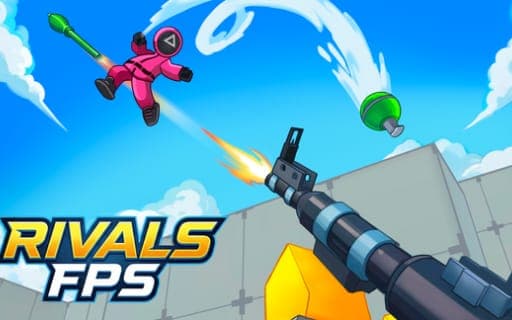
RIVALS FPS: Online Shooter
Game by Playgama. The provider may show ads and use cookies. Learn more
- Category
- Action
- Platform
- Web browser
- Provider
- Playgama
- Price
- Free to play
About RIVALS FPS: Online Shooter
RIVALS FPS: Online Shooter is a first-person multiplayer shooter set in bright, colorful 3D arenas. A match starts when you either set up a map yourself or join one where other players are already fighting, and from there the job is to outshoot everyone, stay alive and take the win. The maps are large and built over several levels, so an opponent can appear on a ledge above you just as easily as on a floor below.
The Lobby is the hub between fights. From there you pick a mode, change weapons, buy skins for guns and characters and check the leaderboard. Two modes are offered: Deathmatch, where the last player standing wins, and 1 on 1, a straight duel. Everyone begins with the SCAR rifle, and the arsenal adds the precise M16, the AVP sniper rifle that can drop a target in one shot, and melee weapons for close fights. A Training Ground lets you practise shooting and melee before going live.
Game provided by Playgama
How to play RIVALS FPS: Online Shooter
Objective
Outshoot your opponents and survive each match by staying on the move across the multi-level maps, then keep winning battles to climb the leaderboard rankings.
Controls
Desktop
- WASD: move
- Mouse: turn the camera and aim
- Left mouse button: shoot, and click menu buttons
- Right mouse button: aim
- Space: jump
- C: crouch
- R: reload
- 1, 2, 3, 4: switch weapons
- E: interact with objects
Mobile
- Virtual joystick on the left: move
- Swipe on the right side of the screen: rotate the camera
- Jump, Reload, Aim and Crouch buttons: perform each of those actions
Getting started
- Open the Lobby, the central hub, to look over the game modes, the weapon list, the skins and the leaderboard.
- Spend a few minutes in the Training Ground to practise aiming, shooting and melee attacks before facing real players.
- Create a map of your own or join players who are already in a session, choosing Deathmatch or a 1 on 1 duel.
- Start with the SCAR rifle, and on PC press keys 1 to 4 to swap weapons as the distance to your target changes.
- Keep moving and watch the levels above and below you, since the big maps let enemies attack from any height.
Tips
- The AVP sniper rifle can eliminate an enemy with a single shot, which makes it strong on the long sightlines of the larger maps.
- Holding still makes you an easy target; use height and terrain on the multi-level maps to spot enemies before they spot you.
- Play with sound on when you can, because hearing the fight helps you work out where the shots are coming from.
- Deathmatch is won by the last player standing, so choosing your fights carefully counts for more than chasing every enemy you see.
Play in your browser. No download needed.
RIVALS FPS: Online Shooter FAQ
Which modes does RIVALS FPS: Online Shooter have?
Two. Deathmatch is every player for themselves, with the last one standing taking the win, and 1 on 1 is a direct duel against a single opponent. Both are picked from the Lobby, which also holds weapons, skins and the leaderboard.
How do you move and aim on a phone?
A virtual joystick on the left side of the screen moves you, and swiping on the right side turns the camera. Separate on-screen buttons handle jumping, reloading, aiming and crouching, so both thumbs stay busy.
What weapon do you start with?
Every player begins with the SCAR rifle, a dependable all-round gun. The M16 assault rifle, the AVP sniper rifle and melee weapons give other ways to fight, and skins for weapons and characters can be bought in the Lobby.
Can you play it free with friends?
Yes. It is a free online multiplayer shooter that runs in the browser on a phone or a computer, and you can team up with friends or fight alone in the same arenas.