
Hidden Sniper: Camo Hunter 3D
Free to play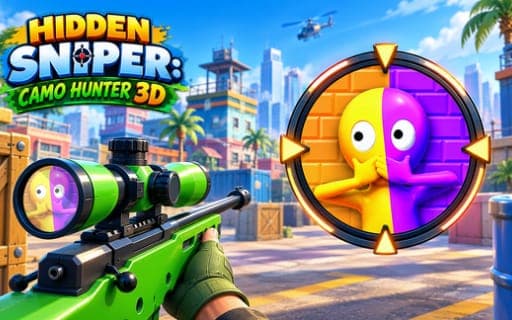
Hidden Sniper: Camo Hunter 3D
Game by Playgama. The provider may show ads and use cookies. Learn more
- Category
- Action
- Platform
- Web browser
- Provider
- Playgama
- Price
- Free to play
About Hidden Sniper: Camo Hunter 3D
Hidden Sniper: Camo Hunter 3D is a sniper game where spotting the target is half the work. Each level is a detailed 3D scene with targets camouflaged somewhere inside it, and you have to find them before you can even think about the shot.
Play follows a clear rhythm. You look around the scene, scanning for anything that blends in a little too well, then open the sniper scope to zoom in and line up the target. Firing happens when you let go of the button that opened the scope, so the shot leaves the barrel the instant you release. A level is complete once every required target has been found and hit, which rewards patient observation as much as a steady aim. Levels test both how carefully you scan and how precisely you place each shot.
Game provided by Playgama
How to play Hidden Sniper: Camo Hunter 3D
Objective
Find every camouflaged target hidden in each scene and take it out with a precise sniper shot to complete the level.
Controls
Desktop
- Left mouse button held while moving the mouse: look around
- Hold the left mouse button on the scope button: open the sniper scope
- Move the mouse while scoped: aim
- Release the left mouse button: fire
Mobile
- Swipe the screen: look around and aim
- Scope Button (press and hold): bring up the sniper scope
- Swipe while scoped: aim
- Release the Scope Button: fire
Getting started
- Keep the left mouse button held while you move the mouse, or swipe the screen on a phone, to look over the whole scene.
- Scan for shapes and colors that seem out of place, since the targets are camouflaged to blend into the surroundings.
- Put the pointer on the scope button and keep the left mouse button down, or press and hold the Scope Button on a phone, to bring up the scope.
- Aim while scoped by moving the mouse or swiping, then release the button to fire at the hidden target.
- Repeat for every required target in the scene; the level is complete once all of them have been found and shot.
Tips
- Sweep the whole scene before scoping in, because the wide view makes it easier to notice something that does not belong.
- Settle your aim fully before letting go, since releasing the button is the action that fires the shot.
- Use the scope as a magnifier as well as a sight; zooming in on a suspicious spot confirms whether it really is a camouflaged target.
Play in your browser. No download needed.
Hidden Sniper: Camo Hunter 3D FAQ
How do you shoot in Hidden Sniper: Camo Hunter 3D?
Open the scope first by holding the left mouse button on the scope button, or by pressing and holding the Scope Button on a phone. Aim, then release that button to fire.
How do you finish a level?
Find and shoot all of the required targets hidden in the scene. They are camouflaged against their surroundings, so careful scanning with the wide view and the scope is the main skill.
Can you play Hidden Sniper: Camo Hunter 3D on a phone?
Yes. Swipe across the screen to scan and aim, press and hold the Scope Button to bring the scope up, and release it to take the shot. The desktop version uses the left mouse button for the same steps.