
Stickman Street Fighting 3D
Free to play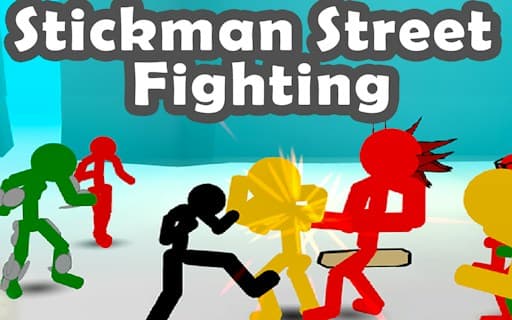
Stickman Street Fighting 3D
Game by GamePix. The provider may show ads and use cookies. Learn more
- Category
- Action
- Platform
- Web browser
- Provider
- GamePix
- Price
- Free to play
About Stickman Street Fighting 3D
Stickman Street Fighting 3D is a one-on-one brawler drawn in a sketchy comic style, with chunky hand-drawn outlines over 3D sets. The first screen, headed Mission 1, lines up six fighter cards. Only the plain black Stickman is open at the start, with bars for power, speed and jump; the rest, including spiky-haired, red-striped and green-striped variants, show the mission that unlocks them: 5, 13, 29, 59 and 91. A tilted Controls panel switches between Mobile and PC layouts, and a big Start button begins the fight.
Fights take place on bright icy-blue sets scattered with crates and props. The HUD names both sides with full health bars, Player 1 on the left and the opponent on the right, starting with a red stickman in glasses called Red Glasses, and Mission 1 printed between them. Well-placed blows and fast reactions decide each fight, objects around the arena can be smashed for power-ups, weapons add extra punch, and every mission cleared brings the next unlockable fighter closer.
Game provided by GamePix
How to play Stickman Street Fighting 3D
Objective
Win each mission by draining your opponent's health bar, starting with Red Glasses in Mission 1, and keep advancing to unlock the fighters that need missions 5 to 91.
Controls
Desktop
- Space bar: press Start on the Mission 1 screen
- Controls panel: choose PC for mouse and keyboard play
Mobile
- Tap a locked fighter card: see which mission unlocks it
- Controls panel: choose Mobile for touch play
Getting started
- The game opens on the Mission 1 screen, where the black Stickman card on the left is already chosen, showing power, speed and jump bars.
- Check the Controls panel on the right and pick PC for mouse and keyboard or Mobile for touch before you go any further.
- Press the big Start button in the bottom-right corner, or the space bar, to begin Mission 1 with the fighter you picked.
- The fight opens with Player 1 on the left and Red Glasses on the right, each with a full health bar along the top.
- Win missions to work toward the locked fighters; pressing one early only brings up a popup naming the requirement, such as Mission 59 Required.
Tips
- The Stickman card shows power, speed and jump as bars, so compare those bars when a new fighter unlocks to judge whether it suits the way you fight.
- Unlocks are spread far apart, at missions 5, 13, 29, 59 and 91, so the first new fighter comes quickly but the last ones need a long run of wins.
- Red Glasses starts the fight next to a stack of crates; breakable objects like those can hold power-ups, so keep an eye on the scenery mid-brawl.
- Set the Controls panel before your first fight, since it decides whether the game expects a mouse and keyboard or touch controls.
Play in your browser. No download needed.
Stickman Street Fighting 3D FAQ
How do you unlock new fighters in Stickman Street Fighting 3D?
By clearing missions. Each locked card on the Mission 1 screen names its requirement: Mission 5, 13, 29, 59 or 91. Tapping a locked card before then only brings up a short apology popup that repeats the requirement, with a Close button.
Who is the first opponent in Stickman Street Fighting 3D?
Mission 1 pits you against Red Glasses, a red stickman wearing glasses who waits beside a stack of crates. His name and health bar sit in the top-right corner, opposite Player 1, so the state of the fight is always visible at the top.
Does Stickman Street Fighting 3D have phone controls?
Yes. The Controls panel on the first screen offers Mobile and PC, so the game can switch between a touch layout and mouse and keyboard play. Pick the one that matches your device before pressing Start.