
Pixel Differences
Free to play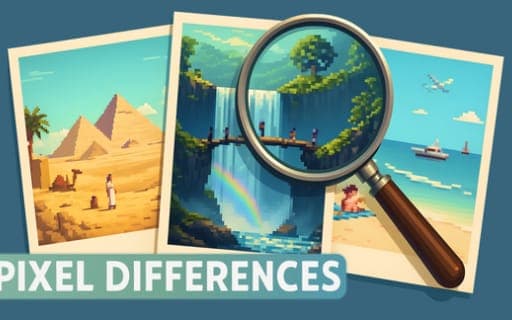
Pixel Differences
Game by Playgama. The provider may show ads and use cookies. Learn more
- Category
- Puzzle
- Platform
- Web browser
- Provider
- Playgama
- Price
- Free to play
About Pixel Differences
Pixel Differences is a spot-the-difference puzzle drawn in pixel art. Two versions of the same scene sit side by side, and some items in one picture look different from their counterparts in the other. Your task is to compare the pair carefully and pick out every one of those changes, item by item, until none are left.
A counter along the top tells you how many differences the scene contains, so you always know how many are still waiting to be found. When you spot one, you click or tap it to mark it. Each scene is drawn in pixel art, giving it a hand-made look built from small blocks of colour, which means the changed items blend into the picture rather than standing out. There is no other rule to learn: compare, spot and select until every difference in the pair has been found and the puzzle is complete.
Game provided by Playgama
How to play Pixel Differences
Objective
Compare the two pixel-art images and find every item that differs between them, using the counter at the top to track how many remain.
Controls
Desktop
- Click: select a difference you have found
Mobile
- Tap: select a difference you have found
Getting started
- Check the counter at the top of the screen to see how many differences this pair of images contains.
- Look over one image section by section, then compare the same area in the other picture.
- When an item looks different between the two, click or tap it to mark the difference.
- Watch the counter as you go so you know how many differences are still hidden somewhere.
- Keep comparing until you have found them all and the puzzle is complete.
Tips
- Compare small matching sections rather than whole images at once; in pixel art, a change can hide in a tiny cluster of squares.
- Use the counter as a guide: if differences remain after the obvious ones, go back over edges, corners and background areas.
- Flick your eyes between the same spot in both images instead of staring at one picture, so the item that differs stands out by contrast.
Play in your browser. No download needed.
Pixel Differences FAQ
How do you know how many differences are left in Pixel Differences?
The counter at the top displays how many differing items you need to find. Watch it as you mark each difference, and you will always know how many are still hiding in the scene.
How do you mark a difference?
Click it on a computer or tap it on a phone. Select the item in the image that looks different from its counterpart in the other picture, and it counts toward the total shown at the top.
What do the Pixel Differences scenes look like?
Both images in each puzzle are drawn in a pixel-art style that gives the scenes a hand-made feel. The two versions of a scene are shown side by side so you can compare them directly.