
Bridge Dash
Free to play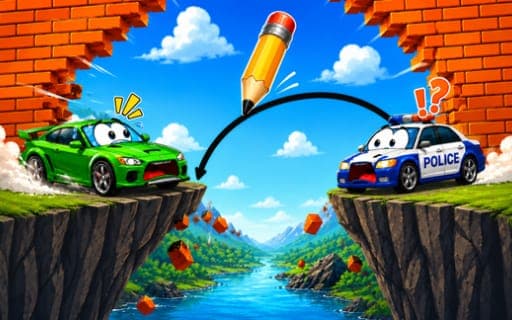
Bridge Dash
Game by Playgama. The provider may show ads and use cookies. Learn more
- Category
- Puzzle
- Platform
- Web browser
- Provider
- Playgama
- Price
- Free to play
About Bridge Dash
Bridge Dash is a drawing puzzle with a car at its center. Every level places the car in front of a gap, and your job is to draw the bridge that will carry it across to the finish line. Once the line is down, the car makes its attempt and physics takes over, so the way you shaped the bridge decides whether it arrives safely.
The puzzle grows with each stage. Obstacles move into new positions and the gaps get wider, so a quick straight stroke stops being enough and you have to think about how a drawn line behaves under a moving vehicle. Each layout is a new problem with obstacles to avoid, and finding a route that works is the core of the game. Drawing is done with the mouse on a computer or by touch on a phone.
Game provided by Playgama
How to play Bridge Dash
Objective
Draw a bridge that lets your car cross each gap, avoid the obstacles and reach the finish line safely.
Controls
Desktop
- Mouse: draw the bridge
Mobile
- Touch: draw the bridge
Getting started
- Look over the level first: where the car starts, where the gap is and where the finish sits on the far side.
- Draw a bridge with the mouse, or by touch on a phone, from the car's side across to the finish.
- Watch the car attempt the crossing and note where the line fails or where an obstacle gets in the way.
- Adjust your next drawing to route around the obstacles and support the car all the way to the finish.
Tips
- Think about the car's weight as you draw; a line that looks fine standing still may behave differently once the car is driving over it.
- Obstacles shift position between stages, so check each new layout for anything the car could hit before drawing your usual shape.
- As gaps get wider in later stages, plan the whole route before you start drawing instead of sketching the first half and improvising the rest.
Play in your browser. No download needed.
Bridge Dash FAQ
How do you draw in Bridge Dash on mobile?
Use touch: draw the bridge directly on the screen. On a PC, laptop or desktop computer the same drawing is done with the mouse. Either way, the car then tries to cross the bridge you made.
What is the goal of Bridge Dash?
Help your car reach the finish line safely by drawing a bridge it can cross. Every level has a fresh layout and obstacles to steer clear of, so the main puzzle is working out a path the car can follow.
Does Bridge Dash get harder?
Yes. With each stage the obstacles shift and the gaps widen, so the bridges you draw need more planning. Understanding how a line holds up under a moving vehicle becomes more important as you go.