
Bloxorz: Color Block Roll
Free to play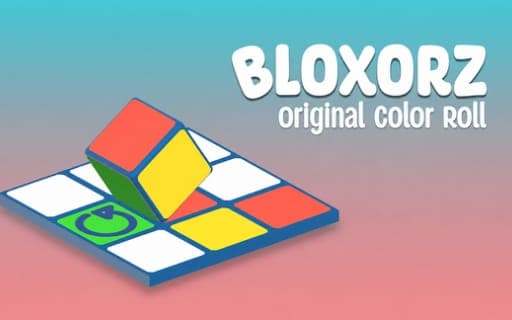
Bloxorz: Color Block Roll
Game by Playgama. The provider may show ads and use cookies. Learn more
- Category
- Puzzle
- Platform
- Web browser
- Provider
- Playgama
- Price
- Free to play
About Bloxorz: Color Block Roll
Bloxorz: Color Block Roll gives you a cube with a different color painted on each face and a grid of colored tiles leading to an exit. The cube moves a single square per roll in any of four directions, and it may only come down on a tile whose color matches the face that ends up underneath. Every roll swaps which face points at the ground, so even a short route can take careful thought.
Sixty levels build on that rule. Some platforms rotate, others move, and some teleport the cube to another spot, which changes both where it stands and what has to land next. Because each move is a single roll, it is easy to count ahead and work out which side will meet each square. The puzzle rewards spatial thinking far more than speed, and keys, a mouse drag or a swipe all perform the same one-step roll.
Game provided by Playgama
How to play Bloxorz: Color Block Roll
Objective
Roll the painted cube to the exit on each of the 60 levels, landing only on tiles whose color matches the face pointing down.
Controls
Desktop
- WASD or arrow keys: roll the cube one step
- Hold the left mouse button, drag and release: roll in the dragged direction
Mobile
- Swipe: roll the cube one step in that direction
Getting started
- Find the exit on the board and note the colors of the tiles that lie between it and the cube.
- Look at the cube's faces and work out which color will be on the bottom after a roll in each direction.
- Roll one step with WASD, the arrow keys, a mouse drag or a swipe, choosing only moves that land on a matching tile.
- Watch for rotating, moving and teleporting platforms, which shift the cube and change the colors you need next.
- Bring the cube onto the exit to finish the board and move on to the next of the 60 levels.
Tips
- Four rolls in the same direction bring the original face back to the bottom, which makes long straight runs easier to plan.
- Work backward from the exit when a board looks impossible: decide which face must be down on the final tile and trace the path in reverse.
- Before stepping onto a teleporting platform, check the tile colors around its destination so you do not arrive with the wrong face down.
- With the mouse, the roll happens when you release the left button, so finish the drag pointing exactly where you mean to go.
Play in your browser. No download needed.
Bloxorz: Color Block Roll FAQ
What is the main rule in Bloxorz: Color Block Roll?
The cube may only land on a tile that matches the color of the face touching the ground. Since each roll brings a new face to the bottom, every move must be planned so the right color arrives on the right square.
How do you roll the cube on a phone in Bloxorz: Color Block Roll?
Swipe in the direction you want the cube to go, and it rolls one step. On a computer, use WASD or the arrow keys, or hold the left mouse button, drag and release.
How many levels does Bloxorz: Color Block Roll have?
There are 60 levels. Later boards add platforms that rotate, move or teleport the cube, so routes that look simple at first need more thought about which face will be down after each step.