
Puzzlebot
Free to play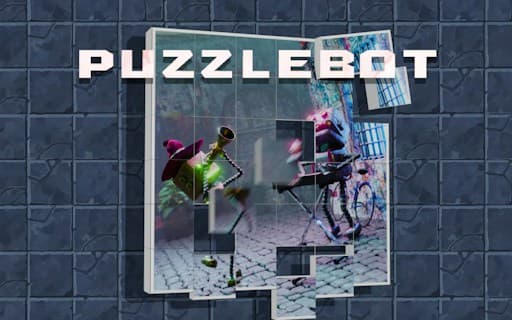
Puzzlebot
Game by GamePix. The provider may show ads and use cookies. Learn more
- Category
- Puzzle
- Platform
- Web browser
- Provider
- GamePix
- Price
- Free to play
About Puzzlebot
Puzzlebot is a jigsaw game with seven pictures to assemble, each available at three difficulty levels. Pieces start out of place, and your task is to put every one back where it belongs until the image is whole. The quicker you finish, the better, since speed is part of the challenge.
Twenty-one combinations of picture and difficulty give plenty to work through. You can zoom in on the board to check small details, by scrolling or pinching, and when a piece will not reveal its place, a hint icon shows where some of them go. Selecting a piece is as simple as touching it. The hint only covers some pieces, so most of the work still comes down to your own eye. The layout is portrait, matching a phone held upright.
Game provided by GamePix
How to play Puzzlebot
Objective
Assemble each of the seven jigsaw pictures at the difficulty you choose, placing every piece correctly as fast as you can.
Controls
Desktop
- Scroll: zoom in and out on the puzzle
Mobile
- Pinch: zoom in and out on the puzzle
- Touch a piece: select it
- Touch the hint icon: see where some of the pieces belong
Getting started
- Choose one of the seven pictures and one of the three difficulty levels.
- Touch the pieces to select them, then put each one in its right place in the picture.
- Pinch or scroll to zoom when you need a closer look at edges and details.
- Touch the hint icon if you are stuck, to see where some of the pieces belong.
- Finish the picture as quickly as you can, then try the same image at a harder level.
Tips
- Zooming in helps match small details on similar-looking pieces, so use the pinch or scroll zoom before guessing.
- Keep the hint icon for genuine dead ends; finishing fast is the goal, and the hint only shows some of the pieces, not all.
- Start each picture on the lowest of the three levels to learn the image, then repeat it on a harder one.
Play in your browser. No download needed.
Puzzlebot FAQ
How many puzzles does Puzzlebot have?
Seven jigsaw pictures, each playable at three difficulty levels. That makes twenty-one combinations of image and difficulty, and each one is about placing every piece correctly as fast as you can.
Does Puzzlebot have hints?
Yes. Touching the hint icon shows where some of the pieces should go. It does not solve the whole puzzle, so it works best as a nudge when a section has you stuck.
How do you zoom in Puzzlebot?
Scroll to zoom on a computer, or pinch on a phone. Zooming makes it easier to compare edges and details, and you select pieces by touching them.