
Unfamiliar Object
Free to play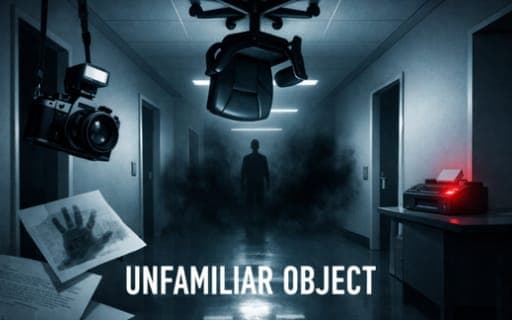
Unfamiliar Object
Game by Playgama. The provider may show ads and use cookies. Learn more
- Category
- Puzzle
- Platform
- Web browser
- Provider
- Playgama
- Price
- Free to play
About Unfamiliar Object
Unfamiliar Object is a first-person inspection game set in an office corridor during a silent night shift. Somewhere along it, one ordinary office object has become quietly impossible, and your job is to find it. You walk the corridor, raise an inspection camera, photograph the anomaly and then deliver that photo as evidence to the right fax machine before the clock runs out.
Procedure matters as much as observation. You must not report the wrong object, you must not walk back into a room you have already photographed, and the rules change from one shift to the next, so they need reading each time. Linger too long and procedure turns hostile. Each new shift twists different everyday objects, which keeps the corridor unfamiliar however often you walk it.
Game provided by Playgama
How to play Unfamiliar Object
Objective
Find and photograph the single object that does not belong on each shift, then submit the evidence at the correct highlighted fax machine before time runs out, without breaking the rules.
Controls
Desktop
- Click: enter mouse look
- WASD or arrow keys: move
- Mouse: look around
- Space: lift or lower the inspection camera
- Left-click with the camera raised: photograph the outlined object
- Left-click at the fax machine: submit the evidence
Getting started
- Read the rules for the shift first, since they change between shifts and decide what counts as a mistake.
- Click to enter mouse look, then walk the corridor with WASD or the arrow keys, moving the mouse to look around.
- When something seems off, press Space to raise the inspection camera and point it at the outlined object.
- Left-click to take the photo, and do not walk back into the room once you have photographed it.
- Take the photo to whichever fax machine is highlighted as the right one and left-click it to send the evidence while time remains.
Tips
- Reporting the wrong object breaks a rule, so be sure before you photograph; look at the object from more than one angle first.
- Since you cannot re-enter a photographed room, check the whole room before taking the picture, in case a stranger object sits elsewhere.
- Time is limited, so learn the route to the fax machines early and keep the trip from the anomaly short.
- Rules change across shifts, so reread them at the start of every shift instead of trusting what worked before.
Play in your browser. No download needed.
Unfamiliar Object FAQ
What are the rules in Unfamiliar Object?
Never report the wrong object, never go back into a room you have already photographed, and follow the rules as they change across shifts. Evidence must also reach the correct fax machine before time runs out.
How do you take a photo in Unfamiliar Object?
Press Space to raise the inspection camera, point it at the outlined object and left-click. Press Space again to lower the camera, then carry the photo to the highlighted fax machine and left-click there to submit it.
Is Unfamiliar Object scary?
Yes, in a quiet way. It is first-person horror set in an office, and the tension comes from a silent night-shift corridor where everyday objects turn impossible, from strict procedure, and from a clock that keeps running while you search.