
Supermarket Expert Idle
Free to play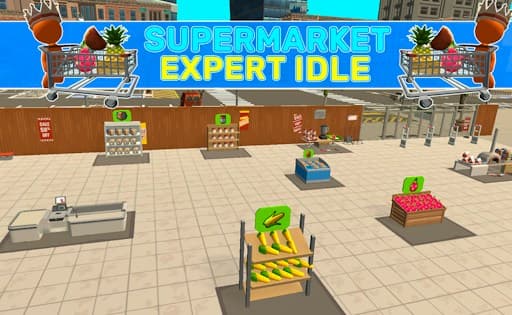
Supermarket Expert Idle
Game by GamePix. The provider may show ads and use cookies. Learn more
- Category
- Strategy
- Platform
- Web browser
- Provider
- GamePix
- Price
- Free to play
About Supermarket Expert Idle
Supermarket Expert Idle starts you off as the owner of a brand-new supermarket in town, with plenty of shoppers coming through the doors every day. The work is hands-on: you pick up products from the places where they grow or are made, bring them to the right departments and set them out, then serve customers at the checkout counter to earn money.
Money turns into growth. Every new department you open raises your income, because there is more to sell, and the upgrade menu holds improvements worth checking regularly. Helpers can be bought too, speeding up the routine so the store runs faster without you doing every job yourself. The idle side of the game lives in that expansion loop, turning one small shop into a busier business. The view is landscape, and movement works with arrow keys, WASD or the mouse.
Game provided by GamePix
How to play Supermarket Expert Idle
Objective
Stock each department with products, check out customers at the counter, and reinvest the money in new departments, upgrades and helpers to grow your supermarket's income.
Controls
Desktop
- Arrow keys or WASD: move around the supermarket
- Mouse and left-click: move around the supermarket
Getting started
- Choose how to move: the arrow keys, WASD, or the mouse with left-click all work.
- Go to the spot where a product grows or is produced and pick it up.
- Bring the product to its department and place it there for shoppers.
- Head to the counter and check out the waiting customers to collect your money.
- Spend your earnings in the upgrade menu, on helpers, or on opening a new department.
Tips
- More departments mean more income, so opening a new one is the clearest way to raise earnings once the money is there.
- Helpers make the work go faster, which matters most when several departments need restocking while customers wait at the counter.
- Upgrades are easy to overlook, so open the upgrade menu whenever money builds up instead of letting it sit unused.
- Keep the checkout moving. Customers pay at the counter, so a fully stocked department earns nothing until someone rings up the sale.
Play in your browser. No download needed.
Supermarket Expert Idle FAQ
How do you move in Supermarket Expert Idle?
Use the arrow keys, the W, A, S and D keys, or the mouse together with left-click. Any of the three works for getting around the store, so pick whichever feels most comfortable.
How do you earn more money in the supermarket?
Open more departments. Each one adds to your income, while helpers and upgrades from the upgrade menu speed up the work of restocking and serving customers, which lifts earnings further.
What are helpers for?
Helpers are bought with your earnings and make the work go faster. With more departments to stock and more customers to check out, extra hands keep the supermarket running smoothly as it grows.
Does Supermarket Expert Idle work on phones?
It is marked as suitable for phones and displays in landscape. The controls described are arrow keys, WASD and the mouse with left-click, though, so a computer offers the clearest setup.