
Planet Blast: Rockets
Free to play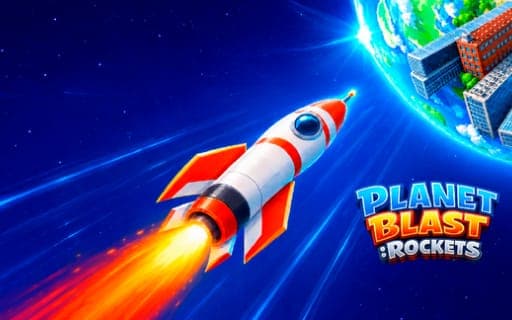
Planet Blast: Rockets
Game by Playgama. The provider may show ads and use cookies. Learn more
- Category
- Strategy
- Platform
- Web browser
- Provider
- Playgama
- Price
- Free to play
About Planet Blast: Rockets
Planet Blast: Rockets hands you a rocket arsenal and a galaxy full of targets. Every launch begins with design work: you set the balance between fuel, mass and blast power, and the rocket's look changes on screen as you adjust it. Then you choose an impact point on the planet, whether a city or a whole continent, and send the rocket in to see how much of the surface it tears away.
The loop rewards iteration. After each strike you look at what the blast achieved, find the parameter that held it back and improve it for the next rocket. Upgrades to modules and strike power raise your ceiling, and stronger launches unlock new planets further across the galaxy. Destruction is the spectacle, with terrain cratering and reshaping under each hit, but the real puzzle is finding the right mix of the three settings for every target.
Game provided by Playgama
How to play Planet Blast: Rockets
Objective
Tune each rocket's fuel, mass and blast power, strike cities, continents and planets with precision, and upgrade your modules to unlock targets further across the galaxy.
Controls
Desktop
- Press and hold the left mouse button: adjust rocket settings, choose a target and launch
Mobile
- Taps and finger gestures: adjust settings, pick a target and launch
Getting started
- Start with your first rocket and adjust its fuel, mass and blast power, watching the design change as you go.
- Choose an impact point on the planet, picking a city or a stretch of continent as the target for the strike.
- Launch by holding the left mouse button on desktop, or with taps and finger gestures on mobile, and watch the blast.
- Review the result, find the weakest of the three parameters and improve it before preparing the next rocket.
- Put upgrades into modules and strike power to unlock new planets further across the galaxy.
Tips
- Change one parameter at a time between launches, so the review after each strike shows clearly which setting made the difference.
- Do not simply max out blast power, since every launch depends on the balance of all three settings rather than the size of the explosion alone.
- Choose impact points deliberately: the target you pick decides what the strike reshapes, from a single city to a whole continent.
- Keep upgrading modules, because the strike power gained there is what opens up new planets to target.
Play in your browser. No download needed.
Planet Blast: Rockets FAQ
What do fuel, mass and blast power do in Planet Blast: Rockets?
They are the three settings you tune before every launch, and the balance between them decides how effective a strike is. After each launch, review the result and improve whichever parameter fell short.
How do you unlock new planets?
Upgrade your modules and increase strike power between launches. Stronger rockets open up new targets, and the campaign stretches out to the farthest corners of the galaxy.
Can you play Planet Blast: Rockets on a phone?
Yes. On mobile the same tuning, targeting and launching are done with taps and finger gestures, while on desktop you press and hold the left mouse button for each of those actions.