
Epic Battle Simulator 2
Free to play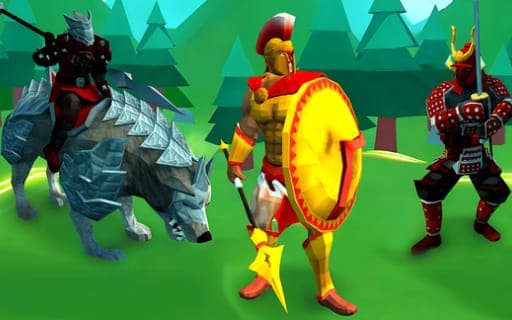
Epic Battle Simulator 2
Game by Playgama. The provider may show ads and use cookies. Learn more
- Category
- Strategy
- Platform
- Web browser
- Provider
- Playgama
- Price
- Free to play
About Epic Battle Simulator 2
Epic Battle Simulator 2 is a battle sandbox where your main job is the planning. Before each clash you choose which troops to bring and place them on the battlefield, and once the fighting starts, realistic physics and ragdoll effects take over as the two armies collide. The placement system is built for precision, so where each unit stands can decide the result.
There are two ways to play. Campaign mode sets you against a series of levels with opponents to defeat, while custom mode lets you build your own battles from scratch. Your army can be upgraded as far as level three, gaining powerful gear and better stats making each unit stronger for the tougher fights ahead. Smarter troops and enhanced AI opponents make the simulation more convincing, and refined graphics make the large-scale clashes worth watching as you move the camera around the field.
Game provided by Playgama
How to play Epic Battle Simulator 2
Objective
Pick and place your troops so they defeat the opposing army, working through campaign levels or setting up custom battles, and upgrade your forces along the way.
Controls
Desktop
- Arrow keys or W, A, S, D: move the camera
Mobile
- Drag a finger in the bottom-left area: move the camera
Getting started
- Choose campaign mode to fight a series of set levels, or custom mode to design a battle of your own.
- Look over the opposing army, moving the camera with W, A, S, D or the arrow keys, or by dragging in the bottom-left corner on a touchscreen.
- Pick the troops you want to field, thinking about what the enemy has lined up against you.
- Place them carefully on the battlefield, since precise positioning is the main tactical decision you make.
- Start the battle and watch the physics-driven clash play out, then upgrade your army before the following fight.
Tips
- Spend time on placement; once the clash begins the physics take over, so positioning is where most of your tactics happen.
- Upgrade units through all three levels when you can, as each step adds stronger gear and better stats for harder campaign stages.
- Use custom mode to try out troop combinations before committing to them in a tough campaign level.
- Move the camera across the whole field before the fight to check your line for gaps from more than one spot.
Play in your browser. No download needed.
Epic Battle Simulator 2 FAQ
How do you move the camera in Epic Battle Simulator 2?
On a computer, pan the camera with W, A, S, D or the arrow keys. On a touchscreen, place a finger in the lower-left part of the screen and slide it to pan the view around the battlefield.
What is custom mode?
Custom mode lets you create your own battles instead of following the campaign. You decide the setup, which makes it a good place to experiment with different troops and placements before trying a hard campaign level.
How far can you upgrade your army?
Units can be upgraded up to three levels. Each upgrade adds powerful gear and enhanced stats, which you will want as the campaign opponents get tougher and the battles grow larger.