
Shop Cashier Simulator 3D
Free to play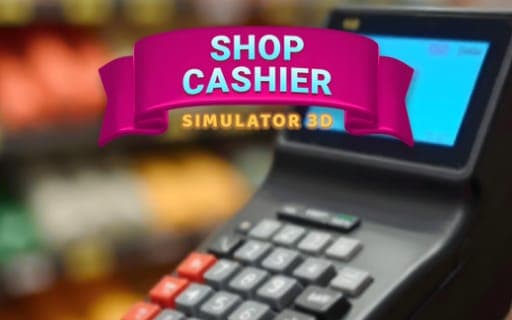
Shop Cashier Simulator 3D
Game by Playgama. The provider may show ads and use cookies. Learn more
- Category
- Strategy
- Platform
- Web browser
- Provider
- Playgama
- Price
- Free to play
About Shop Cashier Simulator 3D
Shop Cashier Simulator 3D sets you behind the cash register of a supermarket that belongs to you. Customers come through the checkout line one after another, and every sale follows the same core steps: scan each item, take the payment and make sure the transaction adds up. Precision and speed are the two qualities the job asks for, because satisfied customers are what keep the business healthy.
The payment method changes the task. Some shoppers pay by credit and others with cash, and a cash payment means working out the change and handing back the right amount. Mistakes carry a cost: ringing up an item the customer did not buy, or returning the wrong amount of change, upsets the shopper and lowers your earnings. That makes this an accuracy-first simulation in which every customer is a small new puzzle at the till.
Game provided by Playgama
How to play Shop Cashier Simulator 3D
Objective
Serve every customer at your checkout accurately and quickly, scanning the right items and handling cash or credit correctly so shoppers stay happy and earnings grow.
Getting started
- Wait for the first customer to reach your checkout line with their shopping before you start a sale.
- Scan each item the customer brings, checking as you go that nothing is charged that should not be.
- Find out whether the customer is paying with cash or by credit before you process the payment.
- For a cash payment, work out the change carefully and hand back exactly the right amount.
- Finish the transaction and move on to the next shopper, keeping the line moving without trading accuracy for speed.
Tips
- Errors cost you twice, through an unhappy customer and lower earnings, so a slightly slower correct sale beats a fast one with a wrong charge.
- Double-check the change on every cash payment, since a wrong amount is one of the two named mistakes that cut into what you earn.
- Credit payments involve no change to count, so the main risk there is the scan itself: make sure every item rung up is one the customer actually bought.
Play in your browser. No download needed.
Shop Cashier Simulator 3D FAQ
What mistakes should you avoid in Shop Cashier Simulator 3D?
Two errors matter most: charging a customer for the wrong item and handing back the wrong change. Either one leaves the shopper unhappy and reduces your earnings, so check each scan and count change with care.
Do customers pay with cash or card?
Both. Each shopper pays with cash or credit, and the method changes your task at the register. Cash means returning the correct change, while every sale, whatever the method, starts with scanning the items accurately.
Is speed or accuracy more important at the register?
Both count, since precision and speed together keep customers happy. Accuracy has a direct penalty when it slips, though, because mistakes cost you goodwill and money, so speed should never come at the price of a wrong total.