
Tractor Farming Farmer Life Game
Free to play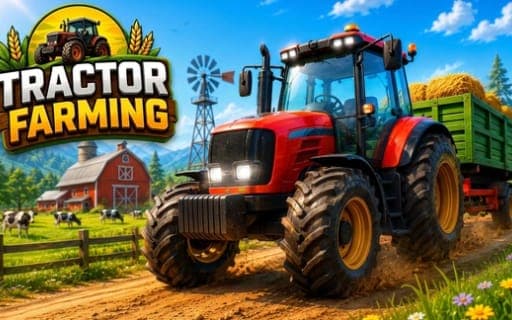
Tractor Farming Farmer Life Game
Game by Playgama. The provider may show ads and use cookies. Learn more
- Category
- Strategy
- Platform
- Web browser
- Provider
- Playgama
- Price
- Free to play
About Tractor Farming Farmer Life Game
Tractor Farming Farmer Life Game is a 3D farming simulator in which a tractor is your main tool. You move around the farm and drive machines to work the fields through a full crop cycle: ploughing, sowing seeds, irrigating, applying fertilizer, spraying, harvesting when the timing is right and finally hauling the produce away to earn rewards.
Four modes split the game by crop, Corn, Cotton, Wheat and Pumpkin Farming, and each has its own missions and harvesting challenges. Completing missions across increasingly demanding levels expands your farm and unlocks more tractors, trailers and farming machines. Dozens of missions are spread across open countryside farms. Desktop players get a full set of keys plus mouse camera control, while phones use a joystick, a camera drag and dedicated buttons for steering, the race control and braking.
Game provided by Playgama
How to play Tractor Farming Farmer Life Game
Objective
Finish the farming missions in each crop mode, taking fields from ploughing to harvest and delivering the produce, to earn rewards and unlock new tractors and equipment.
Controls
Desktop
- WASD: move
- Shift: sprint
- Space: brake
- Mouse: move the camera
- F: perform actions
- P: pause
- Ctrl: open settings
- I: show info
- N: skip the level
Mobile
- Joystick: move the player
- Drag on the screen: move the camera
- Left and Right buttons: steer the tractor left or right
- Race button: tractor race control
- Brake button: stop the tractor
Getting started
- Choose one of the four modes, Corn, Cotton, Wheat or Pumpkin Farming, and start its first mission.
- Move with WASD or the joystick, and on a computer press F to carry out the actions a mission asks for.
- Plough the field first, then sow the seeds, steering with the Left and Right buttons if you are on a phone.
- Irrigate the crop, apply fertilizer and spray where needed, then harvest once the crop is ready.
- Transport the harvested produce to finish the mission and collect the rewards that go toward new machines.
Tips
- The cycle asks you to harvest at the right moment, so finish each earlier step properly instead of hurrying toward the harvest.
- Each crop mode has its own missions, so when one starts to feel repetitive, switch between corn, cotton, wheat and pumpkins to keep progress moving.
- Rewards from completed missions unlock new tractors, trailers and machines, so finishing missions rather than skipping them with N builds up your equipment.
Play in your browser. No download needed.
Tractor Farming Farmer Life Game FAQ
What crops can you grow in Tractor Farming Farmer Life Game?
Four: corn, cotton, wheat and pumpkins. Each has its own farming mode with separate missions and harvesting challenges, so you can pick the crop you want to work on and move between modes as you go.
What jobs are part of a farming mission?
A full cycle covers ploughing the fields, sowing seeds, irrigating, applying fertilizer, spraying, harvesting at the right moment and transporting the produce. Completing that work earns rewards and, over time, unlocks new tractors, trailers and equipment.
How do you drive the tractor on a phone?
Use the Left and Right buttons to steer the tractor, the Race button for the tractor race control and the Brake button to stop. A joystick moves the player, and dragging the screen moves the camera.
Can you skip a level?
Yes. On desktop, the N key skips the current level. Other desktop keys include F for actions, Shift to sprint, Space to brake, P to pause, Ctrl for settings and I for info.