
Burger Restaurant Simulator 3D
Free to play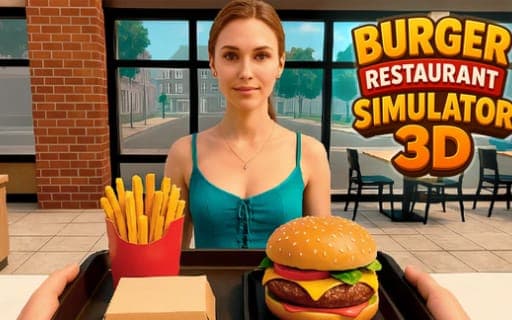
Burger Restaurant Simulator 3D
Game by Playgama. The provider may show ads and use cookies. Learn more
- Category
- Strategy
- Platform
- Web browser
- Provider
- Playgama
- Price
- Free to play
About Burger Restaurant Simulator 3D
Burger Restaurant Simulator 3D starts you off with a single restaurant and the keys to run it. You design the interior, then take customers' orders and prepare them yourself in a realistic kitchen, frying burgers and serving fries, nuggets, drinks and coffee. Customers who leave happy pay tips and raise your reputation, which keeps the business growing.
Growth comes in steps. New dishes such as milkshakes, desserts and snacks join the menu, kitchen equipment can be improved, and you can hire chefs and train staff so the kitchen is not only in your hands. Managing the finances is part of the job, as is decorating and expanding the dining room. Later the business branches out into new locations with car services, a cafe or a food truck. Daily tasks and a daily reward sit on their own keys, so they are quick to check during any shift.
Game provided by Playgama
How to play Burger Restaurant Simulator 3D
Objective
Cook and serve orders to keep customers happy, earn tips and reputation, and reinvest in staff, equipment and new branches to build a fast-food empire.
Controls
Desktop
- WASD: move
- E: interact
- Mouse: rotate the camera
- M: open the shop
- J: daily tasks
- H: daily reward
- Tab: show or hide the cursor
- P: pause
Getting started
- Set up your restaurant and choose a design for its interior, then open it to customers.
- Walk up to a customer with WASD and press E to interact and take the order.
- Prepare the food in the kitchen, from burgers to fries, nuggets, drinks or coffee, and serve it to the customer.
- As money comes in, improve the kitchen equipment and unlock new dishes such as milkshakes, desserts and snacks.
- Hire chefs and train staff once the restaurant gets busy, and check J for daily tasks and H for the daily reward.
Tips
- Happy customers bring both tips and reputation, so serving each order well pays off twice.
- Daily tasks on J and the daily reward on H have their own keys, which makes them easy to check at the start of every session.
- Hiring chefs and training staff means you no longer cook every order yourself, which matters once milkshakes and desserts lengthen the menu.
- Tab shows or hides the cursor, handy when switching between menus and moving around the kitchen.
Play in your browser. No download needed.
Burger Restaurant Simulator 3D FAQ
What can you cook in Burger Restaurant Simulator 3D?
Burgers, crispy fries, nuggets, drinks and coffee to begin with, and as the restaurant grows you unlock new dishes such as milkshakes, desserts and snacks for a longer menu.
Can the business grow beyond one restaurant?
Yes. Beyond expanding and decorating the original restaurant, you can open new branches with car services and launch a cafe or a food truck, while managing finances, staff and equipment along the way.
What are the J and H keys for?
J opens the daily tasks and H collects the daily reward. Other shortcuts include M for the shop, P to pause and Tab to show or hide the cursor.