
LumberJack Simulator 3D
Free to play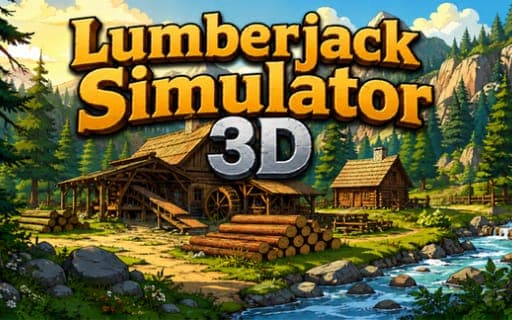
LumberJack Simulator 3D
Game by Playgama. The provider may show ads and use cookies. Learn more
- Category
- Strategy
- Platform
- Web browser
- Provider
- Playgama
- Price
- Free to play
About LumberJack Simulator 3D
LumberJack Simulator 3D starts you with an axe and an empty camp. Stand next to a tree and keep the action button held to chop it down, cut the fallen trunk into logs, then carry them to the warehouse, where every delivery pays coins. Those coins fund upgrades that let you carry more logs at once, chop faster and store more in the warehouse.
As the camp grows, the work starts to run itself. Lumberjacks can be hired to fell trees on their own, though each one needs a house first, and collectors gather loose logs automatically. Houses and other buildings come from a buildings menu and can be placed anywhere on the map. Buying a tablet opens an orders system, through which buyers offer deals that only last a limited time, and unlocking new trade partners brings bigger, more profitable contracts. A day-night cycle runs the whole time.
Game provided by Playgama
How to play LumberJack Simulator 3D
Objective
Build a logging operation from a single axe into a large lumber business by chopping and delivering logs, buying upgrades, hiring helpers and filling buyers' orders before they expire.
Controls
Desktop
- Hold the action button next to a tree: chop it
Getting started
- Walk up to the nearest tree and hold the action button until your character chops it down.
- Chop the fallen trunk into logs, pick them up and carry them to the warehouse to earn your first coins.
- Spend coins on upgrades that raise how many logs you can carry, how fast you chop and how much the warehouse holds.
- Buy the tablet to unlock the orders system, then watch for time-limited deals from buyers.
- Build a house through the buildings menu, hire a lumberjack to live there, and add collectors to pick up loose logs.
Tips
- Build a house before hiring each lumberjack, since every one of them needs a home of their own first.
- Check the orders tablet often and fill deals before they run out, because they are time-limited and expire if you wait too long.
- Put early coins into carrying capacity; more logs per trip means fewer walks to the warehouse for the same pile of wood.
- Place buildings with your routes in mind, since you can put them anywhere on the map and every trip to the warehouse takes time.
- Unlock new trade partners once your operation is steady, as they offer bigger and more profitable contracts than the first buyers.
Play in your browser. No download needed.
LumberJack Simulator 3D FAQ
How do you chop trees in LumberJack Simulator 3D?
Stand beside a tree and keep the action button held. Your character chops until the tree falls, and then you chop the trunk into logs that can be carried to the warehouse for coins.
What do lumberjacks and collectors do?
Hired lumberjacks fell trees without you, and collectors gather any loose logs automatically. Each lumberjack needs a house, which you build through the buildings menu and can place anywhere on the map.
What is the tablet for?
Buying the tablet unlocks the orders system. Buyers send time-limited deals that pay coins for log deliveries, and new trade partners can be unlocked later for bigger, more profitable contracts.
Can you change the game's settings?
Yes. Music, controls and language can all be adjusted, so you can set the game up the way you like before getting to work on the camp.
From the blog
- Land Clearing Games: Tools, Routes and Growing Work AreasCompare garden cleanup, crop-machine work and logging deliveries. Choose tools, carrying upgrades and routes that complete the whole work loop.
- Production Chain Games: Find the Next Resource BottleneckFind production bottlenecks in tower building, logging and farming games. Trace gathering, transport, processing and the next required task before spending.