
My First 100 Words
Free to play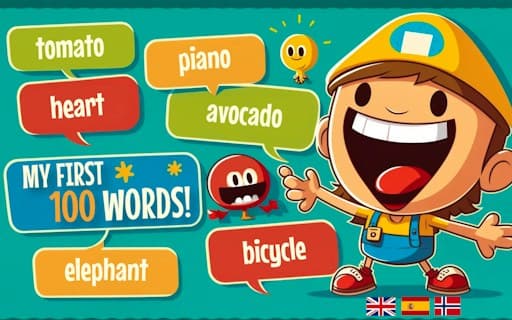
My First 100 Words
Game by GamePix. The provider may show ads and use cookies. Learn more
- Category
- Puzzle
- Platform
- Web browser
- Provider
- GamePix
- Price
- Free to play
About My First 100 Words
My First 100 Words is a picture-vocabulary game for young children. After choosing English, Español, Français or Norsk, each round introduces a few emoji pictures one at a time, each with its name written underneath, such as “A cow” or “An aubergine”, plus a speaker button. A question like “Where is the cow?” then appears above twelve pictures, the child clicks the matching one, and a counter shows how many questions are left.
It shares its look and scoring with the Kobadoo memory games, with 31 levels, 20 points per right answer and a Game Over after one wrong pick, but the task is gentler: the question names the word, so nothing has to be recalled in order, and the question screen has no countdown. Levels 1 to 3 introduce two words and level 4 moves to three. Switching language changes the captions and questions, and the English words follow British usage, such as bin and aubergine.
Game provided by GamePix
How to play My First 100 Words
Objective
Find the picture for each word the game asks about, in the order the words were introduced, to finish the level, then carry on through 31 levels of new words.
Controls
Desktop
- Mouse click on a language button: choose English, Español, Français or Norsk at the start
- Mouse click on a picture: answer the current “Where is the …?” question
- Restart Game button: begin again at level 1 in the same language after a wrong answer
Mobile
- Tap a language button: pick the language; the four buttons wrap onto two lines
- Tap a picture: answer the question; held upright, the twelve pictures sit four to a row
Getting started
- Pick a language on the “Select your language” screen: English, Español, Français or Norsk.
- Watch the pictures that follow; each one shows its name, like “A chick” or “A mushroom”, with a speaker button beside it.
- When a question such as “Where is the chick?” appears, click that picture among the twelve on screen.
- Answer each question in turn until the counter reaches zero and the “Level 1 of 31 completed!” card appears.
- If a wrong picture is chosen, the right one glows green; press Restart Game to try again without picking the language a second time.
Tips
- Questions come in the same order the words were introduced, so pointing at each picture as its name appears gives a child a head start.
- One wrong picture ends the run at once, so encourage a child to look over all twelve pictures before tapping.
- Children who cannot read yet can use the speaker button beside each question, which is there to say the word aloud.
- The English set uses British words, such as aubergine for eggplant and bin for trash can, which is worth explaining to American children.
- There is no countdown on the question screen, so let a child take as long as needed and talk about each picture before choosing.
Play in your browser. No download needed.
My First 100 Words FAQ
Which languages can you learn in My First 100 Words?
Four: English, Español, Français and Norsk, chosen on the first screen. In Spanish, for example, the words appear as “Un bikini” or “Un pez” and the question reads “¿Dónde está el bikini?”, so the whole round switches language.
Does a child need to read to play?
Reading helps but is not essential. Every word is shown as a picture with its written name, and a speaker button sits beside each word and question to play the pronunciation, so a pre-reader can follow along with an adult nearby.
What happens if a child taps the wrong picture?
The run stops. The game shows “Ooops! Wrong one”, highlights the correct picture in green and then shows a Game Over card with the level and score. Restart Game begins again at level 1 in the same language.
How many words does each level teach?
Levels 1 to 3 introduce two words each and level 4 introduces three, always with twelve pictures to choose from. There are 31 levels, and each correct answer adds 20 points to the score shown in the top bar.