
Grid Odyssey: Nonograms
Free to play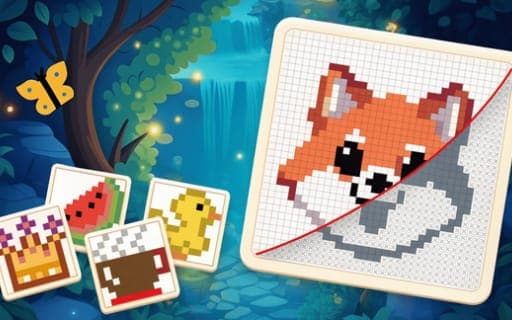
Grid Odyssey: Nonograms
Game by Playgama. The provider may show ads and use cookies. Learn more
- Category
- Puzzle
- Platform
- Web browser
- Provider
- Playgama
- Price
- Free to play
About Grid Odyssey: Nonograms
Grid Odyssey: Nonograms is a straightforward take on the nonogram, the picture logic puzzle solved with numbers. Every puzzle shows a grid with numerical clues for its rows and columns, and those clues tell you which squares need to be filled. Fill the right ones and a hidden image slowly appears; the finished picture is your reward for getting the logic right.
Two kinds of mark do the work. Squares fill in cells you know belong to the picture, while crosses let you rule out cells that must stay empty, and a switch at the bottom of the screen swaps between them. Working through the clues one row and one column at a time is the core method, and the game frames it as practice for attention, logic and analytical thinking.
Game provided by Playgama
How to play Grid Odyssey: Nonograms
Objective
Use the numerical clues to fill in exactly the right squares on the grid, crossing out the rest, until the hidden image is revealed.
Controls
Desktop
- Click a cell: place a mark there
- Switch button at the bottom: toggle between crosses and squares
Mobile
- Tap a cell: place a mark there
- Switch button at the bottom: choose crosses or squares
Getting started
- Study the numerical clues along the grid to see how many squares each row and column needs.
- Pick squares with the switch at the bottom, then click or tap the cells you are sure belong to the picture.
- Flip the switch to crosses and mark the cells that the clues show must stay empty.
- Work row by row and column by column, letting each new mark narrow down the next line.
- Keep going until every clue is satisfied and the hidden image appears on the grid.
Tips
- Begin with rows or columns whose clues nearly fill the whole line, since there are very few ways to place those squares.
- Use crosses generously; marking cells that must stay empty is what makes the remaining squares in a line obvious.
- Check which mode is active before you click or tap, because the switch at the bottom decides whether you place a cross or a square.
Play in your browser. No download needed.
Grid Odyssey: Nonograms FAQ
How do you play Grid Odyssey: Nonograms?
Read the numerical clues next to the grid, then fill in the squares they point to. Work through the rows and columns one by one until the correct squares are filled and the hidden image is uncovered.
What is the difference between crosses and squares?
Squares fill in cells that belong to the picture, while crosses mark cells you have ruled out. A switch at the bottom of the screen lets you change between the two before you place a mark.
Can Grid Odyssey: Nonograms be played on a phone?
Yes. You tap a cell to mark it, just as computer players click one. The switch for crosses and squares sits at the bottom of the screen, so both kinds of mark are always one press away.