
Color Roll 3D
Free to play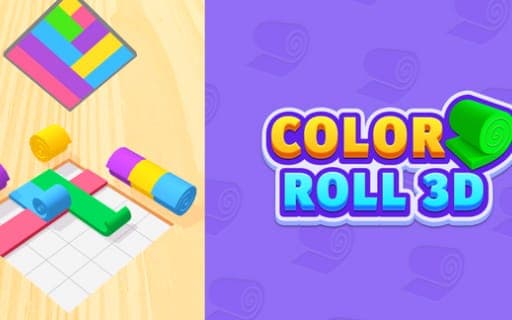
Color Roll 3D
Game by Playgama. The provider may show ads and use cookies. Learn more
- Category
- Casual
- Platform
- Web browser
- Provider
- Playgama
- Price
- Free to play
About Color Roll 3D
Color Roll 3D gives you a picture to copy and a handful of colored rolls to copy it with. Each roll behaves like a band of ribbon: once released, it travels across the puzzle area and lays its color over the surface it passes. Every level brings a new set of rolls together with a new sample image, and the aim never changes, which is to reproduce that picture down to the last detail.
The difficulty comes from how the rolls interact. A roll overlays whatever is already on the board, so the order in which you send them out decides which shade stays visible where bands cross. Direction and position matter just as much, because a roll sent the wrong way or into the wrong spot pushes the final picture away from the target. Solving a level means reading the sample carefully and working backwards to the sequence that produced it.
Game provided by Playgama
How to play Color Roll 3D
Objective
Send the colored rolls out in the right order, direction and position so that the overlapping bands reproduce the sample image exactly.
Controls
Mobile
- Tap a roll: start it unrolling across the puzzle area
Getting started
- Look at the sample image at the start of the level and pick out every place where bands of color cross.
- Check the set of rolls the level gives you and match each one to a band in the target picture.
- Decide which color should end up underneath at each crossing, since that roll has to go out before the one covering it.
- Tap that first roll and watch it unroll across the puzzle area, leaving its color behind as it moves.
- Tap the remaining rolls in sequence until the overlapping colors and their positions line up with the sample.
Tips
- Build from the bottom layer up: any band that looks partly hidden in the sample must be released before the band lying across it.
- Before tapping, check which way a roll faces and where it sits, because a roll unrolled the wrong way puts color where the picture has none.
- Compare the board with the sample after every roll, since a mistake is easier to read while only one or two layers are down.
Play in your browser. No download needed.
Color Roll 3D FAQ
What decides which color shows where two rolls cross in Color Roll 3D?
The order you release them. Each roll overlays its color as it unrolls, so the one that goes out later covers the earlier one at any crossing. Work out that sequence from the sample image before you start tapping.
What usually goes wrong when the picture comes out different?
Most often a roll went out in the wrong order, travelled the wrong way or landed in the wrong place. Any of those shifts the overlapping colors away from the target, so compare the board with the sample to find which band is off.
How do you move the rolls in Color Roll 3D?
You tap them. A tapped roll starts unrolling and moves across the puzzle area by itself, laying its color down as it goes. Picking which roll to tap, and when, is where the whole puzzle lies.