
Cute Little Dragon Creator
Free to play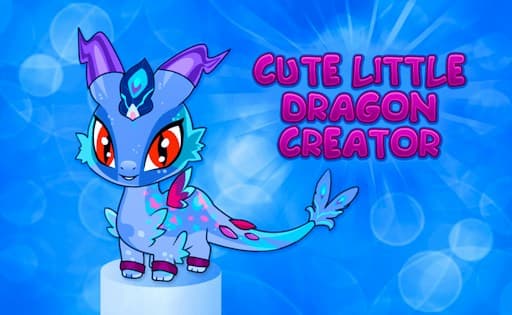
Cute Little Dragon Creator
Game by GamePix. The provider may show ads and use cookies. Learn more
- Category
- Casual
- Platform
- Web browser
- Provider
- GamePix
- Price
- Free to play
About Cute Little Dragon Creator
Cute Little Dragon Creator is a design game about building your own cute little dragon. Everything centres on the editor, where you shape the dragon piece by piece. Any color is available for it, so you can go with a classic dragon green or something far less expected, and then cover it with patterns and decorations from a large selection.
The customisation goes beyond paint. You choose the dragon's eyes, its wings and its tail separately, and finish it with accessories, so the number of possible combinations is large. Features are set with click-and-drag, which makes it quick to try an option, swap it for another and keep going until the result looks right. When the dragon is done, it is something to show off to friends, and starting again with a completely different look is just as easy.
Game provided by GamePix
How to play Cute Little Dragon Creator
Objective
Design a one-of-a-kind little dragon by choosing its color, patterns, decorations, eyes, wings, tail and accessories.
Controls
Desktop
- Click and drag: personalize the dragon's features, such as its color and accessories
Getting started
- Hold the phone in landscape, or play on a computer, since the creator uses a sideways layout.
- Pick a color for your dragon; any color is available, so start with the one you have in mind.
- Add patterns and decorations to give the dragon's color some detail.
- Choose the eyes, wings and tail, trying a few options of each before settling.
- Finish with accessories, then look over the whole dragon and show the result to friends.
Tips
- Choose the color before the patterns, since patterns and decorations are seen against it and can look very different on each shade.
- Eyes, wings and tail are chosen separately, so mixing styles across them is the quickest way to a dragon nobody else has.
- Click and drag makes swapping a feature quick, so try several accessories on the finished dragon before deciding which to keep.
Play in your browser. No download needed.
Cute Little Dragon Creator FAQ
What can you change in Cute Little Dragon Creator?
The dragon's color, with any color available, plus many patterns and decorations, its eyes, wings and tail, and a set of accessories. Each part is chosen separately, so the combinations are wide.
How do the controls work on a computer?
You click and drag to personalize the dragon's features, such as its color and accessories. On phones the game runs in landscape, so hold the device sideways while you design.
Who is Cute Little Dragon Creator for?
Anyone who enjoys designing characters, and dragon fans in particular. There is a single creature to build, and the fun lies in picking its color, patterns, eyes, wings, tail and accessories.
From the blog
- Creative Styling Games: Nails, Hair and Dragon DetailsCompare creative styling games by fine nail details, hairstyle tools and dragon body features. Choose the scale of customization you want.
- Character Design Games: New Creatures or Existing HeroesChoose between detailed creature editing, color-mixing collections and skins for an existing character. Compare what customization actually lets you change.