
Geometry Vibes 3D
Free to play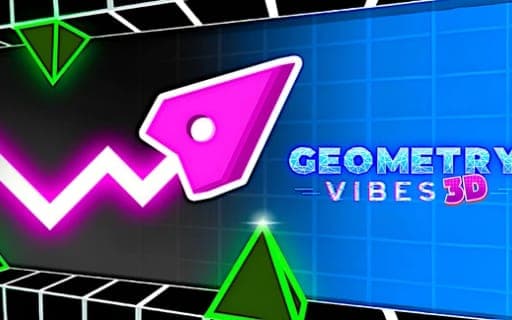
Geometry Vibes 3D
Game by Playgama. The provider may show ads and use cookies. Learn more
- Category
- Casual
- Platform
- Web browser
- Provider
- Playgama
- Price
- Free to play
About Geometry Vibes 3D
Geometry Vibes 3D rebuilds the original Geometry Vibes in three dimensions, with every level redesigned. The controls come down to one action, jumping, so each level turns on timing and rhythm. Classic Mode is split into Rookie, Pro and Expert difficulties, and each level holds three stars to pick up, which adds up to 30 stars per difficulty and 90 in all.
Stars do double duty as proof of skill and as money for the Market, where they buy 3D skins, trails and a special arrow skin. Endless Mode is linked to a global leaderboard that ranks your runs against players worldwide. For company in the same room there is a local 2-Player Mode, with the second player on the Up Arrow key. Play together is local only, and the original's four-player option was cut to two so the 3D view stays clear and readable.
Game provided by Playgama
How to play Geometry Vibes 3D
Objective
Time your jumps to clear Classic Mode levels and grab their three stars on each difficulty, or push an Endless Mode run up the global leaderboard.
Controls
Desktop
- W, Spacebar or left mouse click: Player 1 jumps
- Up Arrow key: the second player jumps during 2-Player Mode
Mobile
- Tap anywhere on the screen: jump
Getting started
- Pick Classic Mode to play the set levels, or Endless Mode if you want a run that counts toward the global leaderboard.
- In Classic Mode choose Rookie, Pro or Expert; Rookie is the gentle start, while Expert is aimed at veterans.
- Jump with W, the space bar or a left mouse click, or tap anywhere on a phone, timing each jump to the level's rhythm.
- Grab the three stars in each level, then open the Market to spend them on skins, trails or the special arrow skin.
- For a match against a friend on the same device, start 2-Player Mode; the second player jumps with the Up Arrow key.
Tips
- Each difficulty holds only 30 stars, so clearing Rookie alone will not fund the Market; the other 60 sit in the Pro and Expert levels.
- Count the stars you leave behind in a level: each one is Market currency, and 90 is the most you can ever collect.
- In 2-Player Mode, Player 1 can use the mouse or W instead of Spacebar so the second player has room around the Up Arrow key.
- The global leaderboard belongs to Endless Mode, so build up timing on Classic levels before chasing a ranking there.
Play in your browser. No download needed.
Geometry Vibes 3D FAQ
How many stars can you collect in Geometry Vibes 3D?
Up to 90. Every Classic Mode level holds three stars, which gives 30 per difficulty across Rookie, Pro and Expert. You spend them in the Market on 3D skins, trails and the special arrow skin, so they are both a trophy and a currency.
Is there online multiplayer in Geometry Vibes 3D?
No. Multiplayer is a local 2-Player Mode for two people at one device, with Player 1 on W, Spacebar or a left click and Player 2 on the Up Arrow key. Competing with strangers happens on the Endless Mode leaderboard instead.
Does Geometry Vibes 3D work on phones?
Yes, touch controls are fully supported on iOS and Android. Tap anywhere on the screen to jump; there is no other input to learn, so phone and computer players face exactly the same timing challenge.