
Canjump
Free to play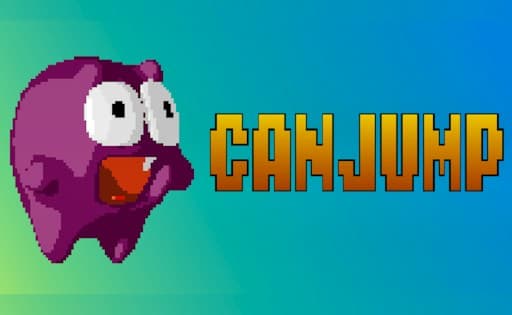
Canjump
Game by GamePix. The provider may show ads and use cookies. Learn more
- Category
- Casual
- Platform
- Web browser
- Provider
- GamePix
- Price
- Free to play
About Canjump
Canjump is a retro pixel-art platformer starring a round purple monster with big eyes and a wide red mouth. Each level is a strip of grassy ground, brown dirt steps and striped green pillars in front of layered teal hills and puffy clouds. The monster moves along by itself, so the only decision left to you is when to jump. The HUD stays minimal: LIVES with five small monster icons at the top left, the level number as LEV 1 at the top, and a power-symbol button plus sound and music buttons along the top edge.
Green gems sit on top of some pillars and ledges, worth a jump when the timing allows, and later stages bring tougher obstacles and enemies. The title menu sets Canjump apart from a plain runner with four ways to play: GAME START, DEATH MODE, TIME ATTACK and INFINITE RUN, the last one an endless stretch where the target is the highest score. All four share the same single input, so practice in one carries straight over to the rest.
Game provided by GamePix
How to play Canjump
Objective
Time the monster's jumps over steps, pillars and gaps so it gets through each level on its five lives, picking up gems and chasing the highest score across the four modes.
Controls
Desktop
- Click a mode on the title menu: start playing it
- Space bar: jump
- W: jump
Mobile
- Tap the screen: jump
Getting started
- The CANJUMP title lists GAME START, DEATH MODE, TIME ATTACK and INFINITE RUN; click or tap one of them to begin.
- The level opens with LIVES and five monster icons at the upper left and LEV 1 at the top, and the monster sets off at once.
- Press the space bar or W to jump, or tap the screen on a phone. There is nothing else to steer, so everything comes down to timing.
- Hop onto the brown dirt steps and over the striped pillars, and aim for the green gems that sit on top of them.
- The round buttons along the top are a power symbol and separate sound and music toggles, so the audio can be set without pausing.
Tips
- The monster never stops, so press a little before a step rather than right at its edge, giving the jump time to clear it.
- One jump lifts the monster well above the ground strip, high enough to reach the raised dirt steps in a single go.
- Green gems often sit on top of pillars on raised ledges; treat them as a bonus and skip one if grabbing it would land you somewhere awkward.
- Watch the five monster icons beside LIVES; they are your margin for failed jumps in a level, so a lost one is a cue to focus on the very next obstacle.
Play in your browser. No download needed.
Canjump FAQ
What are the four modes in Canjump?
The title menu offers GAME START, DEATH MODE, TIME ATTACK and INFINITE RUN. All four use the same single jump input; INFINITE RUN is the endless one, where the run keeps going and the aim is the highest score you can reach.
Which key makes the monster jump in Canjump?
The space bar does, and W works too. The monster moves along by itself, so jumping is the only thing you control. On a phone, a tap on the screen does the same job.
How many lives do you get in Canjump?
Five. They show as small purple monster icons next to the word LIVES in the top-left corner, beside the LEV counter, and the row is your margin for failed jumps, so it tells you how much room for error is left in the level.