
Brainrot Hunters: Shooter 3D
Free to play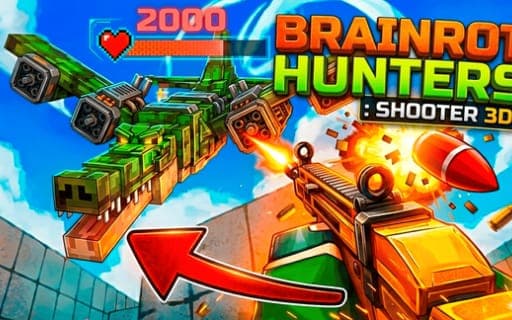
Brainrot Hunters: Shooter 3D
Game by Playgama. The provider may show ads and use cookies. Learn more
- Category
- Casual
- Platform
- Web browser
- Provider
- Playgama
- Price
- Free to play
About Brainrot Hunters: Shooter 3D
Brainrot Hunters: Shooter 3D puts you on a farm under attack. Waves of Italian Brainrots, the meme-inspired monsters, push in alongside rival hunters, and your job is to hold the line and stop any of them breaking through. Each Brainrot type has habits and tactics of its own, so the waves do not all behave the same way.
These enemies listen. They react to gunshots and to footsteps, which means how you move matters nearly as much as how you aim, and careless movement can draw them toward you. In the middle of a session, three shops handle your gear: the Gun Shop for weapons, Hunter's Supply for supplies and a Purchases screen for reviewing what you have bought. The desktop setup covers walking, running, crouching, jumping, aiming, reloading, inspecting and cycling weapons, and touch controls cover everything on mobile.
Game provided by Playgama
How to play Brainrot Hunters: Shooter 3D
Objective
Defend the farm by shooting back every wave of Italian Brainrots and rival hunters before they break through, using the shops to keep your loadout strong.
Controls
Desktop
- Mouse: look around
- W, A, S, D: walk
- Hold Left Shift: run
- Left Ctrl: crouch
- Space: jump
- Left click: shoot
- Right click: aim
- R: reload
- T: inspect your weapon
- Q or scroll wheel: cycle equipped weapons
- G, H, J: Gun Shop, Hunter's Supply, Purchases
Mobile
- Touch: all controls
Getting started
- Look around with the mouse and walk with W, A, S, D, holding Left Shift to run and Left Ctrl to crouch.
- Press G to open the Gun Shop and check the weapons on offer, then press G again to close it.
- Right-click to aim at the incoming Brainrots and left-click to shoot, reloading with R as needed.
- Keep your noise in mind, since enemies react to both your shots and your footsteps.
- Open Hunter's Supply with H for supplies mid-session, and check your Purchases with J.
Tips
- Since enemies respond to footsteps as well as shots, think about where and how you move, not only where you aim.
- Learn each Brainrot type, because every one has its own habits and tactics and may need a different response.
- Cycle to the weapon you want with Q or the scroll wheel before a wave arrives, rather than in the middle of a firefight.
Play in your browser. No download needed.
Brainrot Hunters: Shooter 3D FAQ
What are you defending in Brainrot Hunters: Shooter 3D?
Your farm. Waves of Italian Brainrots and rival hunters try to break through, and the goal is to shoot them back and hold the line so that none of them get past.
Do the enemies hear you?
Yes. The enemies react to both gunshots and footsteps, so noise matters. Moving carefully and choosing when to fire can be as important as accurate aim, especially as each Brainrot type has its own tactics.
How do you open the shops?
Press G to open and close the Gun Shop and H to open and close Hunter's Supply. J opens your Purchases. All three can be reached during a session to adjust your loadout.
Can you play Brainrot Hunters: Shooter 3D on a phone?
Yes. Mobile play uses touch for all controls. On a computer you look with the mouse, walk with W, A, S, D, shoot with left click and aim with right click.