
Superstar Family Dress Up Game
Free to play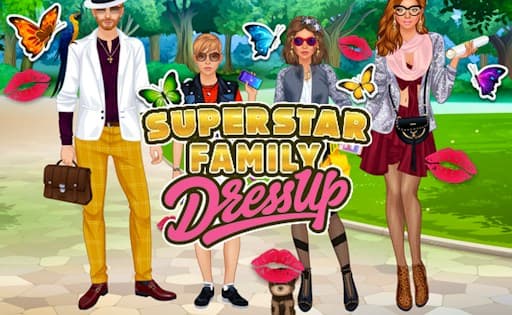
Superstar Family Dress Up Game
Game by GamePix. The provider may show ads and use cookies. Learn more
- Category
- Casual
- Platform
- Web browser
- Provider
- GamePix
- Price
- Free to play
About Superstar Family Dress Up Game
Superstar Family Dress Up Game puts a whole celebrity family on one screen: four models you style at the same time. Each of them has a separate wardrobe holding more than 200 items, from clothes to makeup to accessories, and the detail goes down to eye shape and iris color as well as dresses, hand watches and golden necklaces. Hijabs and Muslim outfits for both women and men are part of the choice too.
Who the family is remains up to you. The mom might be dressed as a top model and the dad as an actor, while the kids look like pupils of an elite school. Once the outfits are done, you build the final picture: choose one of 8 backgrounds, from a red carpet to a castle living room, then add pets, fireworks and stickers. The Camera button saves the finished scene to share.
Game provided by GamePix
How to play Superstar Family Dress Up Game
Objective
Style all four members of the superstar family from their 200-item wardrobes, set the scene with a background, pets and effects, and save the picture with the Camera button.
Controls
Desktop
- Camera button: save a picture of the finished family scene
Mobile
- Camera button: save a picture of the finished family scene
Getting started
- Turn the phone to landscape so all four family members fit on the screen at once.
- Pick one member and open that character's wardrobe to choose clothes, makeup and accessories.
- Fine-tune the face, from eye shape to iris color, before moving on to the next family member.
- Choose one of the 8 backgrounds, such as the red carpet or the oriental palace, to set the scene.
- Add pets, fireworks and stickers, then press the Camera button to save the finished picture.
Tips
- Decide who the family are first, such as movie stars or royalty, then pick outfits and accessories that tell that story across all four.
- Choose the background before the final details; a red carpet walk and a picnic in the park call for very different outfits.
- With more than 200 items per character, browse each category fully before settling; a watch or necklace can change a look as much as a dress.
- Leave fireworks and pets for last, since they finish the picture rather than the outfits themselves.
Play in your browser. No download needed.
Superstar Family Dress Up Game FAQ
How many backgrounds are in Superstar Family Dress Up Game?
Eight. They include a boutique street downtown, a red carpet walk, a studio photo session, a mansion inside and out, a castle living room, a park picnic and an oriental palace.
How do you save a picture in Superstar Family Dress Up Game?
Press the Camera button inside the game once the scene is ready. It captures the styled family with the background, pets, fireworks and stickers you added, so you can share it with friends and family.
Are all four family members on screen together?
Yes. The four models appear on the same screen, and each has a wardrobe of more than 200 items covering apparel, makeup and accessories, so you can match the whole family's looks side by side.