
Gothic New Era
Free to play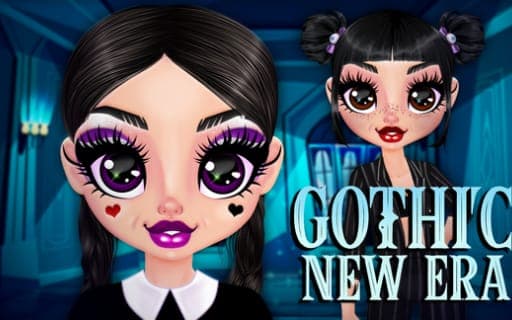
Gothic New Era
Game by Playgama. The provider may show ads and use cookies. Learn more
- Category
- Casual
- Platform
- Web browser
- Provider
- Playgama
- Price
- Free to play
About Gothic New Era
Gothic New Era is a makeover game about a goth girl starting at a strange new Academy, a place full of chaos and mysterious riddles that suits her perfectly. Before her first day she needs a wardrobe refresh that stays true to her style, which means only dark and gloomy colors, gothic dresses and uniforms for school, and your job is to build her look as a dark princess.
The makeover follows a clear order. You start with her face, clearing away the flaws of adolescence, then apply a defiant gothic makeup look. Next comes the option of a new hairstyle, followed by the wardrobe, where you choose dresses, shirts, stockings and shoes. An accessory completes the outfit. When the image is finished, you can save it as a PNG picture to keep. Every choice is made by selecting and applying items, with a mouse click on a computer or a touch on touch screens such as phones.
Game provided by Playgama
How to play Gothic New Era
Objective
Give the heroine a complete gothic makeover, from skin and makeup to hair, clothes and an accessory, then save her dark princess look as an image.
Controls
Desktop
- Mouse click: select and apply an item
Mobile
- Touch: select and apply an item
Getting started
- Begin with the face, removing the skin flaws of adolescence so the heroine has a clean base.
- Apply a defiant gothic makeup look over the prepared skin, keeping to dark tones.
- Decide whether to update her hairstyle to match the gothic style you are building.
- Open the wardrobe and choose a dress or shirt, stockings and shoes in dark shades.
- Add an accessory to finish the outfit, then save the result as a PNG image.
Tips
- Keep to dark, gloomy shades throughout, since staying true to gothic style is the whole point of her wardrobe refresh.
- Work through the steps in order, face first and accessories last, because the makeover is designed as a sequence that builds up the look.
- Mix school uniform pieces with gothic dresses for an Academy-ready outfit, since both belong to her chosen wardrobe.
- Save a PNG of each finished look before experimenting further, so a design you like is not lost when you swap items.
Play in your browser. No download needed.
Gothic New Era FAQ
What steps does the makeover in Gothic New Era follow?
It starts with the face, clearing the flaws of adolescence and applying gothic makeup. Then you can change the hairstyle, choose dresses, shirts, stockings and shoes, add an accessory and save the finished look.
Can you save your design?
Yes. Once the outfit and accessory are in place, you can save the resulting look as a PNG image, which lets you keep each dark princess design you create.
How do you select items on a computer or phone?
Use a mouse click on a computer or a touch on touch screens. Each click or touch selects an item and applies it to the heroine, from makeup shades to shoes and accessories.