
Baby Brainrots - Multiplayer with Friends!
Free to play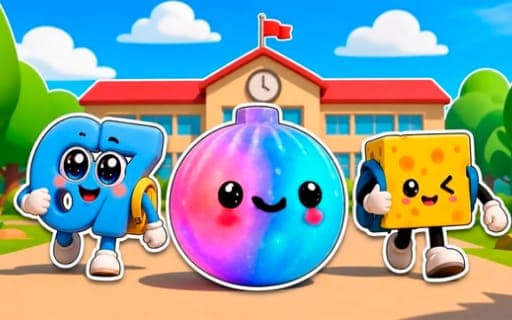
Baby Brainrots - Multiplayer with Friends!
Game by Playgama. The provider may show ads and use cookies. Learn more
- Category
- Casual
- Platform
- Web browser
- Provider
- Playgama
- Price
- Free to play
About Baby Brainrots - Multiplayer with Friends!
Baby Brainrots - Multiplayer with Friends! is a live multiplayer collecting game set across a chain of islands. Every island hides its own baby Brenrots, the small meme creatures behind the title, and the main goal is to track down the whole set. Other real players walk the same islands at the same moment, so a solo search easily turns into a group hunt.
Collecting is only half of the loop. Built-in mini-games pay out coins, and those coins buy Brenrot skins, famous meme designs among them, so every extra round means more ways to dress up your collection. Further islands open as you travel, each with different creatures to find. A text chat lets you coordinate hunts or show off a rare skin, though there is no voice chat, and you can send invites to explore with friends directly. Coins and exclusive skins can also be bought, but the mini-games are the standard way to earn them.
Game provided by Playgama
How to play Baby Brainrots - Multiplayer with Friends!
Objective
Find every baby Brenrot hidden across the islands, and earn coins in the mini-games to unlock Brenrot skins for your collection.
Controls
Desktop
- WASD or arrow keys: walk your character around the island
Mobile
- Tap the screen: bring up the virtual joystick, then steer your character with it
Getting started
- Walk your character around the first island using WASD or the arrow keys, or tap the screen on a phone to call up the joystick.
- Check corners and look behind objects, since Brenrots can spawn anywhere and each island holds a different set of creatures.
- Join a mini-game when you come across one and play it through to earn your first coins.
- Spend those coins on Brenrot skins, then travel on to the next island to keep filling the collection.
- Open the in-game chat to say hello, or send an invite so a friend can hunt on the same islands with you.
Tips
- Treat the mini-games as your income: they are the built-in way to earn coins, and every skin you want depends on them.
- Before leaving an island, sweep its edges and the spaces behind objects, because Brenrots can appear anywhere, corners included.
- Use the text chat to coordinate a hunt with other players on the same island, or to team up with them for the mini-games.
- Sound is optional here; the music adds atmosphere, but the game does not require it, so playing muted is fine.
Play in your browser. No download needed.
Baby Brainrots - Multiplayer with Friends! FAQ
How do you move on a phone in Baby Brainrots?
Tap the screen and a virtual joystick appears; steer your character with it. On a computer, the WASD keys or the arrow keys do the same job. The game runs on desktop and mobile, and players on both share the islands.
How do you get coins and Brenrot skins?
Play the mini-games around the islands. Each one rewards coins, and coins buy Brenrot skins, including well-known meme designs. Coins and exclusive skins can also be purchased, which speeds up the collection, but playing mini-games is the standard route.
Are the other players on the islands real people?
Yes. Everyone you meet is a live player in real time, with no bots. You can talk through the text-based chat, team up for mini-games, or invite friends to explore together. Voice chat is not part of the game.
Is Baby Brainrots free to play online?
Yes, it is free to play in the browser, on desktop or mobile. Optional purchases exist for coins and exclusive skins and speed up the collection, but the islands, the hunt and the mini-games are open without paying.