
Rolling Cube 3D
Free to play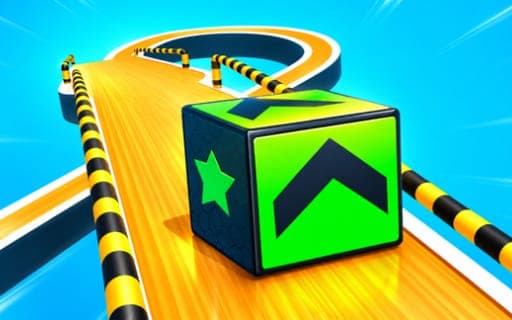
Rolling Cube 3D
Game by Playgama. The provider may show ads and use cookies. Learn more
- Category
- Casual
- Platform
- Web browser
- Provider
- Playgama
- Price
- Free to play
About Rolling Cube 3D
Rolling Cube 3D puts a cube at the start of a winding 3D course and asks you to get it to the finish line safely. Each level is lined with traps and obstacles, some of them rotating, and the path itself bends as it goes. Falling is the main danger, so the cube has to be kept on the track and out of the traps the whole way.
There are countless levels to roll through, and the courses become more demanding as you progress, asking more of your agility and reaction time at every stage. Control is kept to a minimum. On a computer you hold the mouse button to make the cube roll, and on a phone you swipe it around the obstacles. Reaching the end of a course clears it and lets you move on to the next one.
Game provided by Playgama
How to play Rolling Cube 3D
Objective
Lead the cube along each course to the finish line without falling or getting caught in traps, then go on to the following course.
Controls
Desktop
- Click and hold the mouse: make the cube start rolling
Mobile
- Swipe: guide the cube through the obstacles
Getting started
- Look along the course ahead to see where the traps and rotating obstacles sit before you start.
- On a computer, click and hold the mouse to set the cube rolling; on a phone, swipe to guide it.
- Steer clear of every trap and keep the cube on the winding path so it does not fall.
- Reach the finish line to clear the level, then carry on to the next, more demanding course.
Tips
- Watch a rotating obstacle for a moment before committing, so the cube passes when the way is open rather than straight into its path.
- Courses grow tougher level by level, so treat the early stages as practice for the timing that the later winding paths will demand.
- Since falling is how a run goes wrong, keep the cube toward the middle of narrow sections instead of hugging the edges.
Play in your browser. No download needed.
Rolling Cube 3D FAQ
How do you make the cube roll in Rolling Cube 3D?
On a computer, a click held down on the mouse sets the cube in motion. On a phone or tablet, swipe to guide the cube through the obstacles toward the finish line.
How many levels does Rolling Cube 3D have?
The game offers countless levels, each with its own winding path, traps and obstacles. The courses become more demanding as you advance, asking more of your agility and reaction time each time.
What should you avoid in Rolling Cube 3D?
Avoid the traps and do not let the cube fall off the path. Rotating obstacles also stand in the way, so timing your moves matters as much as steering in the right direction.