
My Town Home: Family Playhouse
Free to play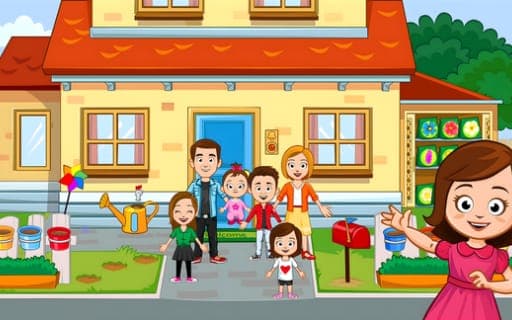
My Town Home: Family Playhouse
Game by Playgama. The provider may show ads and use cookies. Learn more
- Category
- Casual
- Platform
- Web browser
- Provider
- Playgama
- Price
- Free to play
About My Town Home: Family Playhouse
My Town Home: Family Playhouse is a digital dollhouse spread over a large two-story house. You choose a family to move in, then decide how their day goes: cooking in the big kitchen, which has a large table plus a smaller one just for kids, playing in the backyard, tending plants, or simply moving everyone from room to room to act out a story.
Much of the house reacts when you interact with it. The oven bakes, smoothies can be made, the computer and the TV switch on, and outfits can be changed whenever a scene calls for it. Outside there is a sandbox, a trampoline and room for a picnic. A robot vacuum roams the floors carrying a wheel of fortune that can be spun for prizes, and collectible cards fill in a family album. Two mini-games, popping the right balloons and washing the teddy bear, are open from the start, and more mini-games and characters unlock later.
Game provided by Playgama
How to play My Town Home: Family Playhouse
Objective
There is no win condition: choose a family, play out stories around the house and yard, and collect cards and prizes as new mini-games and characters unlock.
Controls
Desktop
- Right-click: use the on-screen buttons
- Mouse: move items and characters around the house
Mobile
- Tap: use the on-screen buttons
- Finger: move items and characters around the house
Getting started
- Choose the family that will live in the two-story house; these are the characters your stories will revolve around.
- Explore the kitchen, bathroom, parents' room and children's rooms to see which objects respond, such as the oven or the TV.
- Move a character into a room and act out a first scene, like baking in the oven or changing into a new outfit.
- Try the two starting mini-games, popping the right balloons and washing the teddy bear, for some variety between stories.
- Catch the robot vacuum when it passes by to spin the wheel of fortune it carries and try for a prize.
Tips
- Keep an eye on the robot vacuum as it roams; catching it at the right moment lets you spin the wheel of fortune for prizes.
- Collect cards whenever they turn up, since every card is a piece of the family album waiting to be completed.
- Use the backyard for outdoor scenes: the sandbox, trampoline and picnic spot give stories a change of setting from the indoor rooms.
- Change outfits to suit each scene; clothing can be swapped at any time, so a character can be dressed for the kitchen one minute and the yard the next.
Play in your browser. No download needed.
My Town Home: Family Playhouse FAQ
Which mini-games are open from the start in My Town Home: Family Playhouse?
Two are available right away: washing the teddy bear and popping the right balloons. Further mini-games, along with new characters for your stories, unlock as you keep playing.
How does the wheel of fortune work?
A robot vacuum cleaner roams the rooms carrying a wheel of fortune. If you catch it as it passes, you can try your luck on the wheel and win prizes.
Can you play My Town Home: Family Playhouse on a phone?
Yes, it runs on phones and computers and is free to play. On a phone you tap buttons and move items and characters with your finger; on a computer the mouse handles both jobs.
Which rooms are in the house?
The two-story house has a kitchen, a bathroom, a parents' room and children's rooms, plus a backyard and other spaces. Each area has its own objects to try, from the oven to the trampoline.