
Paint Pop 3D
Free to play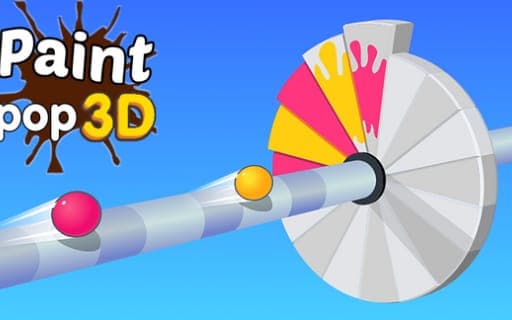
Paint Pop 3D
Game by Playgama. The provider may show ads and use cookies. Learn more
- Category
- Casual
- Platform
- Web browser
- Provider
- Playgama
- Price
- Free to play
About Paint Pop 3D
Paint Pop 3D is a one-tap shooting game about coloring a ring. Each level presents a ring split into slices, and every tap sends out paint; hold instead of tapping and the painting carries on. A level is complete once every slice on the ring has been painted, and the next one brings a fresh layout.
Obstacles are the danger. Hitting one ends the game on the spot, so the real skill is knowing when to paint and when to hold back. The challenge builds over more than 1000 levels with plenty of missions along the way, and a range of characters and themes changes the look as you go. With a single input doing all the work, the whole game comes down to timing and nerve.
Game provided by Playgama
How to play Paint Pop 3D
Objective
Paint every slice on the ring to clear each level, without ever hitting an obstacle along the way.
Controls
Mobile
- Tap: paint
- Hold: keep the paint flowing
Getting started
- Look at the ring at the start of the level and see which slices still need paint.
- Tap to paint, sending color toward the slices of the ring one shot at a time.
- Hold down to keep painting when the way is clear, and let go when an obstacle is in the way.
- Keep going until every slice on the ring is colored, which completes the level.
- Avoid every obstacle as you paint, because a single hit ends the game immediately.
Tips
- Use single taps near obstacles and save holding for open stretches, since one hit ends the game at once.
- With more than 1000 levels, obstacle layouts change a lot, so watch each new level for a moment before the first tap.
- Holding paints continuously, which is quicker but leaves less room to react, so switch back to taps as soon as a level gets crowded.
Play in your browser. No download needed.
Paint Pop 3D FAQ
How do you complete a level in Paint Pop 3D?
Paint every slice on the ring. Tap to paint, or hold to keep painting, and the level is done once no unpainted slice remains. Hitting an obstacle at any point ends the game instead.
How many levels does Paint Pop 3D have?
More than 1000, with many challenging missions spread across them. Various characters and themes change the look as you progress, while the core rule stays the same: color the whole ring and avoid the obstacles.
Can you play Paint Pop 3D on a phone?
Yes. The whole game runs on taps and holds, so a phone screen handles everything. That single input keeps the focus on timing your painting around the obstacles.