
Yummy Toast
Free to play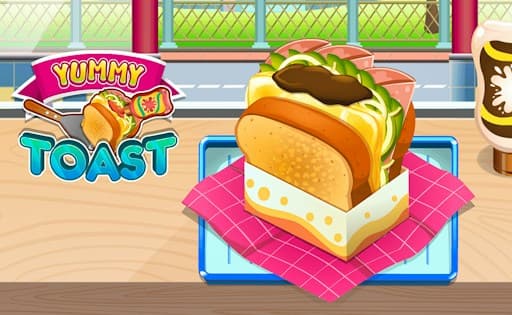
Yummy Toast
Game by GamePix. The provider may show ads and use cookies. Learn more
- Category
- Casual
- Platform
- Web browser
- Provider
- GamePix
- Price
- Free to play
About Yummy Toast
Yummy Toast opens on a sunny kitchen counter. The logo, YUMMY in yellow on a pink ribbon and TOAST in big teal letters, sits on the left next to a spatula and a little sandwich, while the right half shows a towering toast packed with cheese, ham, lettuce and a chocolate-brown sauce, slotted into a paper sleeve on a pink checked napkin. Jars of pickles and lemon slices, a sauce bottle and a city street behind a fence fill in the scene.
The game itself, by its description, is about filling customer orders by assembling toasts from a range of ingredients, quickly but without mistakes, as levels unlock and the orders get harder. The title screen hints at the extras: a pink flower play button with a fried egg starts the cooking, and three flower buttons in the top-right corner carry a star, a trophy and a music note. The layout is wide, so a phone works best turned sideways.
Game provided by GamePix
How to play Yummy Toast
Objective
Build each toast exactly as the customer ordered it, fast enough to keep up, and work through the levels toward the title of toast master.
Controls
Desktop
- Flower play button with the fried egg: start cooking
- Music-note flower (top right): switch the music
- Star and trophy flowers (top right): open the extra menus
Mobile
- Flower play button under the logo: start the first level
- Music-note flower (top right): switch the music
Getting started
- Turn a phone sideways before starting; the title screen is wide, with the logo on the left and the big toast on the right.
- Look at the three pink flower buttons in the top-right corner: star, trophy and music note, the last one for the music.
- Press the pink flower play button with the fried egg under the YUMMY TOAST logo to head into the kitchen.
- Read the first customer's order carefully before reaching for any ingredient, since a toast has to match it.
- Assemble the bread, fillings and sauce in the order asked, serve it, and repeat until the level is cleared.
Tips
- The title toast shows how tall a finished order can get, with cheese, ham, lettuce and sauce stacked high, so expect multi-layer requests in later levels.
- Accuracy counts as much as speed in the description, so take a second to compare your toast with the order before serving it.
- Use the music-note flower at the upper right whenever the kitchen soundtrack distracts you during quick orders.
- Levels unlock one after another and get tougher, so use the early ones to learn where each ingredient sits on the counter.
Play in your browser. No download needed.
Yummy Toast FAQ
How does a level work in Yummy Toast?
Customers ask for particular toasts, and you build each one from the ingredients on hand, as quickly and accurately as you can. Serving the orders correctly clears the level and unlocks the next, tougher one.
What are the flower buttons on the Yummy Toast title screen?
The large pink flower with a fried egg under the logo starts the game. The three smaller flowers in the top-right corner show a star, a trophy and a music note; the note handles the music.
Should a phone be held sideways for Yummy Toast?
Yes. The title screen is laid out wide, with the logo on the left and the toast on the right, and it fills a phone screen held sideways without empty bands.