
Dream Home
Free to play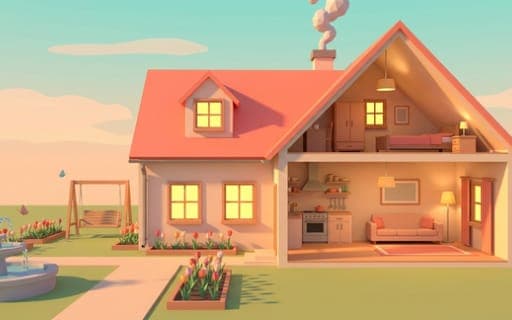
Dream Home
Game by Playgama. The provider may show ads and use cookies. Learn more
- Category
- Casual
- Platform
- Web browser
- Provider
- Playgama
- Price
- Free to play
About Dream Home
Dream Home is a 3D building game in which you design a house from the ground up. You raise walls and floors, paint surfaces any color or cover them in wallpaper, lay flooring and arrange furniture room by room. Outside, the yard takes flower beds, a campfire, a pool and a fountain. When a room is done, walk mode drops you into first person so you can stroll through it, climb the stairs and see it in daylight or at night.
Alongside the open sandbox sit client orders. Each one gives you a brief to build to, grades the finished work and pays out experience, and a special challenge order appears every day. Levelling up unlocks new plots, which lets you keep several houses going at once. Items can be rotated as you place them and sold again with the Delete key when a layout does not work.
Game provided by Playgama
How to play Dream Home
Objective
Build and furnish houses to your own taste or to client briefs, earning grades and experience that level you up and unlock new plots for more homes.
Controls
Desktop
- Left mouse button: build and control the camera
- Right mouse button: rotate the camera
- Mouse wheel: zoom in and out
- WASD or arrow keys: move the camera
- R: rotate the selected item
- Delete: sell an item
- Esc: leave walk mode
Mobile
- Tap: build and select objects
- Two fingers: rotate and zoom the camera
- Joystick: walk around in walk mode
Getting started
- Start on an empty plot and raise the walls and floors that set out the shape of your first rooms.
- Paint the walls, hang wallpaper or lay flooring, then place furniture, pressing R on a computer to turn an item before setting it down.
- Decorate the yard with flower beds, a campfire, a pool or a fountain to finish the outside of the house.
- Enter walk mode to tour a finished room in first person, using the joystick on a phone, and press Esc to leave.
- Take on a client order when you want a goal, build to its brief and collect the grade and experience it pays.
Tips
- Use the daily challenge order for extra experience, since levelling up is what unlocks new plots and lets you work on several houses.
- Walk through a room at night as well as by day before calling it finished, because walk mode lets you see the house both ways.
- Read a client brief before placing anything, because orders are graded on how well the build matches what the client asked for.
- Placed the wrong piece? Selling it with Delete clears the spot, so experiment with layouts rather than building around a mistake.
Play in your browser. No download needed.
Dream Home FAQ
How do you walk inside your house in Dream Home?
Switch to walk mode once a room is finished. It puts you in first person, so you can stroll through the rooms, climb the stairs and see the house by day and by night. On a phone the joystick moves you, and on a computer Esc exits.
What are client orders in Dream Home?
Client orders are structured jobs. Each gives you a brief to build to, grades your finished work and awards experience toward your level. A special challenge order is offered every day, and higher levels unlock new plots.
Can you build more than one house?
Yes. As your level rises, new plots open up, and you can keep more than one house in progress side by side. Experience from client orders, including the daily challenge, is how you reach those levels.
How does the camera work on a phone?
Use two fingers to rotate and zoom the camera, and tap to build or select objects. In walk mode a joystick takes over for moving around the house in first person.