
Jump Controls: Automatic Runners or Manual Platformers
On this page
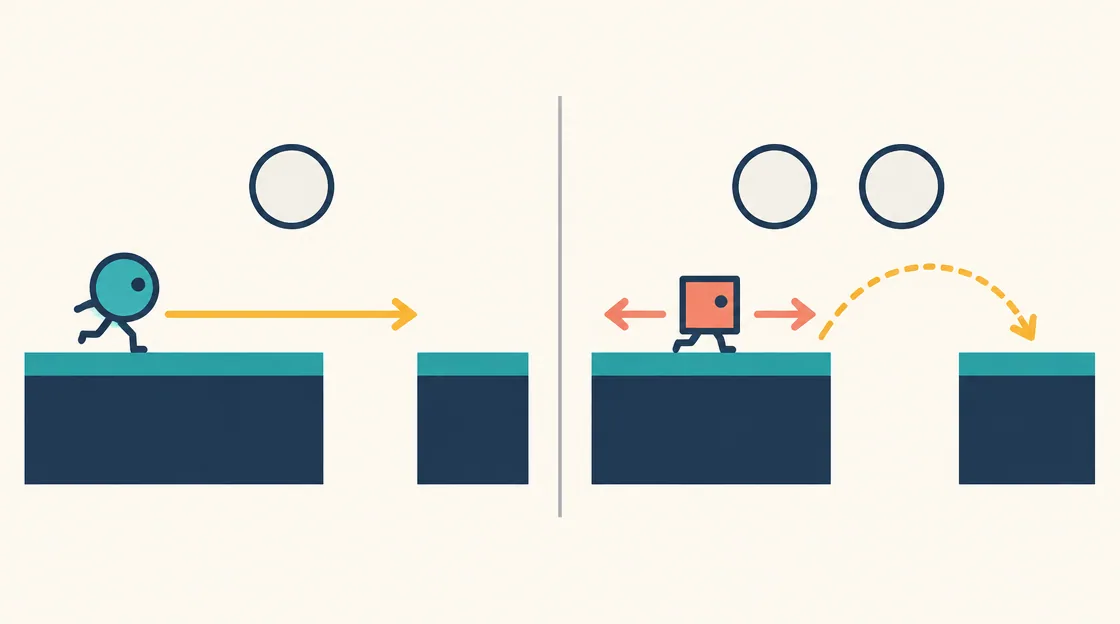
A game with one jump button can demand a different kind of attention from a platformer with separate movement keys. In an automatic runner, the character keeps approaching the edge while you decide when to jump. In a manually controlled game, you can often choose the approach as well as the jump. Neither arrangement of jump controls tells you how easy the level will be.
Compare the responsibilities assigned to your input. Are you starting an action at the right moment, controlling where the character moves, or choosing between movement and an attack? These four games show how those responsibilities change without requiring a long list of unrelated platform titles.
| Game | Movement responsibility | Documented jump input |
|---|---|---|
| Canjump | The character runs automatically | Space or W |
| Stickman Jump | The character sprints continuously | Space |
| Epic Duck | Walking and jumping are separate | W |
| Super Steve World | Movement and powers are separate | Z or K/Space, by layout |
Automatic movement removes a decision, not the gap
In Canjump, a purple monster runs on its own. Space or W triggers a jump, and steps and pillars arrive as timing problems. You do not steer the character back to create another approach. The next obstacle is coming whether or not you have chosen the perfect moment.
Look at the leading edge of the next platform before watching a gem above it. A safe landing gives the run somewhere to continue. A jump aimed only at a collectible can leave the character approaching the following gap from a poor position. That is a route-reading decision even though the input is simple.
Continuous running rewards an earlier look ahead
Stickman Jump also moves forward continuously, with Space documented as its desktop jump action. Its floating platforms and obstacles make the sequence after the current landing important. Waiting until the character touches an edge can leave little time to recognize the obstacle beyond it.
Use a short horizon: current landing, next gap, then the following obstruction. You do not need to memorize an entire level to benefit from looking one action ahead. Choose this format when deciding when to jump is more appealing than repeatedly adjusting left-right movement.
Manual walking lets you shape the approach
Epic Duck separates walking from the W jump. You can inspect a ledge and choose where to begin the ascent toward the key. The return to the door then makes the same platforms relevant from another direction.
Here, a miss can come from the starting position as well as the jump moment. If repeated attempts fall short, do not automatically press the key sooner. Check whether you began too far from the edge or aimed for the wrong landing. Change the approach deliberately so you can distinguish it from timing.
Several actions require a consistent key layout
Super Steve World offers two documented desktop layouts. One combines arrow movement with Z for jump and X for fireballs. The other uses WASD, K or Space for jump, and J for fireballs. A fireball is available only when the relevant power is available.
Pick a layout before reaching an enemy-and-gap combination. Switching between equivalent jump keys mid-run can create hesitation without adding control. This game also includes level timers, so manual movement does not mean unlimited time to inspect every section. The control choice and the pressure of the level are separate features.
Compare two misses before changing everything
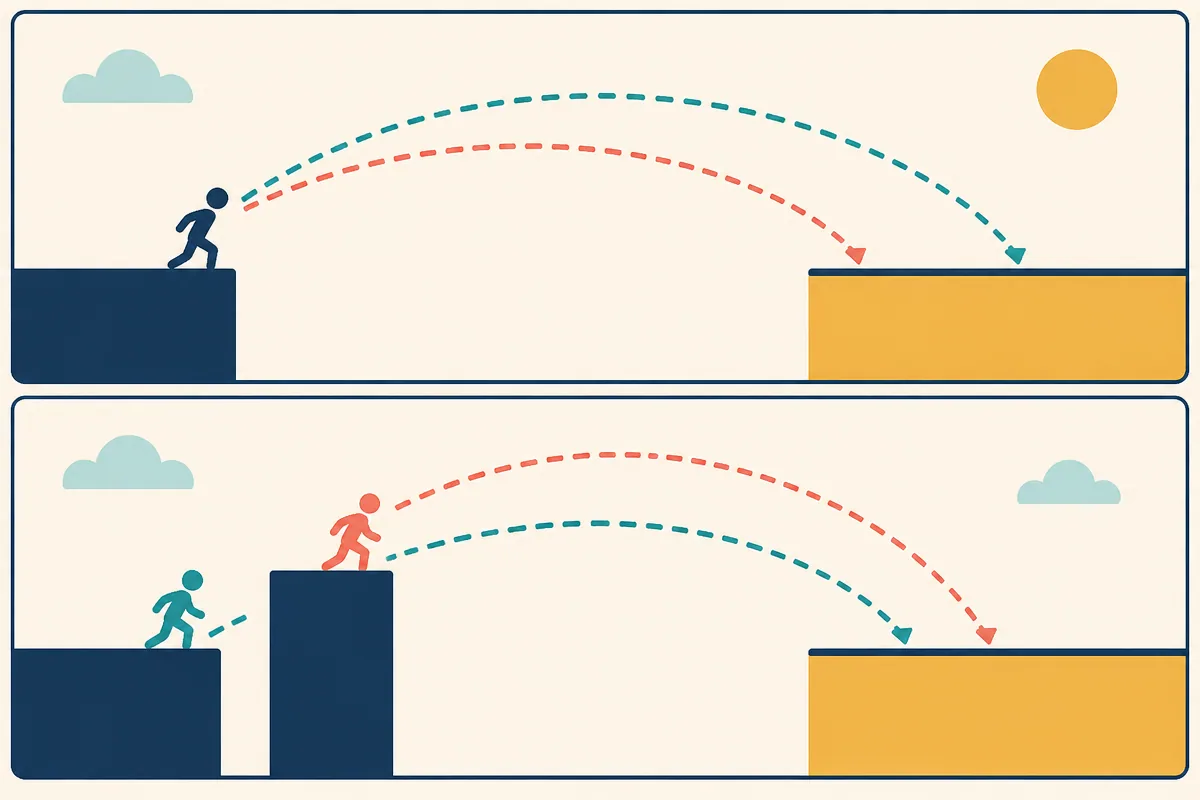
Conceptual comparison of approach and timing; not measured game physics.
Suppose an automatic runner lands short of a platform. Your available correction may be the timing of the press, judged against the fixed approach. Now suppose a manually controlled character misses the same-looking distance. Its starting position and direction may also have changed. The screenshots might look similar while the useful correction is different.
For a fair comparison, hold one factor steady. In the runner, watch a consistent visual cue before pressing. In the manual game, repeat the approach from the same point before adjusting timing. This is a hypothetical practice method, not a claim about exact jump distances or hidden physics settings in these games.
Jump controls: decide what you want your hands to manage
Choose Canjump or Stickman Jump to concentrate on a continuing sequence of jump decisions. Choose Epic Duck when approach, ascent and return route are part of the attraction. Choose Super Steve World when you want movement, jumps and a separate available power in one action set.
Before starting a difficult section, verify the jump key and whether movement begins automatically. That small check answers a more useful question than counting buttons: which parts of the next landing are actually under your control?
Related tags
Frequently asked questions
Which games move the character automatically?
Canjump and Stickman Jump describe automatic forward movement. Your jump timing must work with the approach rather than a separate left-right steering choice.
What jump keys does Canjump document?
Space and W are both listed as desktop jump inputs. The monster runs without a separate steering action.
Does manual movement imply there is no time pressure?
No. Super Steve World has manual movement and a level timer. Control freedom and time limits are different features.
How does Epic Duck differ from an automatic runner?
You walk separately from the W jump and must collect a key before returning to the door. Starting position and route therefore matter alongside timing.
Which Super Steve World layout should I choose?
Choose the documented layout that feels comfortable and use it consistently. Both layouts provide movement, jumping and a fireball action when the power is available.
Should an unsuccessful jump always be corrected by pressing earlier?
No. In a manual platformer, the approach point or direction may have changed too. Identify the factor you are changing before judging the next result.
Try a platformer where the run is automatic
Play CanjumpMore casual guides
 Casual
Vertical Climbing Games: Platforms, Dashes and Stacks
Compare vertical climbing games by alternating jumps, stacking blocks, timed jelly leaps and checkpoint routes. Choose the upward challenge you want.
 Casual
Flight Runner Games: Glide, Climb and Follow the Light
Compare flight runners by steering, upward taps, boosts and light management in Paperly, Horizon, Going Up and Shadobirds.
 Casual
Music Games and Toys: Play Instruments or Follow Beats
Compare music games and sound toys by instrument notes, robot-band controls and beat-timed movement. Choose open sound play or a rhythm challenge.
 Casual
Easter Face Paint: Plan Bunnies, Flowers and Rainbows
Plan an Easter face-paint look with a focal motif, flowers and a balanced palette in Easter Funny Makeup. Includes creative ideas and PNG export.