
Penalty Kick Wiz
Free to play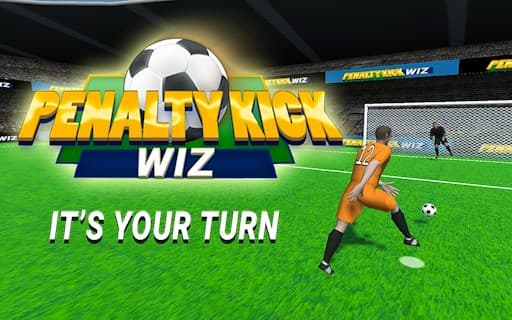
Penalty Kick Wiz
Game by GamePix. The provider may show ads and use cookies. Learn more
- Category
- Sports
- Platform
- Web browser
- Provider
- GamePix
- Price
- Free to play
About Penalty Kick Wiz
Penalty Kick Wiz is a penalty shootout game set in a 3D stadium. The title screen keeps a career record right under the PLAY button, Cups won, Matches played, Goals scored and Shots saved, all at zero on a first visit, with a gear button up in the right-hand corner. Each contest is a duel from the spot in which you take your own shots and also stand in goal against your opponent's.
PLAY leads to SELECT YOUR TEAM:, a wall of 32 national flags labelled with three-letter codes. The top row of favourites, BRA, GER, ITA, ARG, FRA, ENG, ESP and NED, is padlocked, so a new player starts with one of the other 24, from URU and SWE down to KOR, JAP and CMR. Picking a flag frames it in yellow, the heading changes to YOU SELECTED plus the code, and a NEXT button appears opposite BACK. Winning cups is the long-term goal, and the locked giants wait for later.
Game provided by GamePix
How to play Penalty Kick Wiz
Objective
Pick a national team and win penalty duels by scoring your kicks and saving your opponent's, building up the Cups won, Goals scored and Shots saved totals.
Controls
Desktop
- Click PLAY: open SELECT YOUR TEAM:
- Click a flag: select that team and bring up NEXT
Mobile
- Tap PLAY: open the team list
Getting started
- On the title screen, glance at your record under PLAY, then press the green PLAY button to move on.
- SELECT YOUR TEAM: shows 32 flags; the eight in the top row carry padlocks, so choose from the three rows below them.
- Click a flag, for example SRB; it gets a yellow frame and the heading switches to YOU SELECTED: SRB.
- Press NEXT in the bottom-right corner to continue with that team, or BACK at the lower left to return to the title.
- The gear at the upper right opens the settings if you want to adjust anything before the shootout starts.
Tips
- Read the three-letter code under a flag before pressing NEXT; the heading spells out YOU SELECTED with that code, so a wrong pick is easy to catch.
- The padlocked top row holds BRA, GER, ITA, ARG, FRA, ENG, ESP and NED, so plan on starting with an open side such as URU, POR or MEX.
- Your record counts Goals scored and Shots saved separately, which shows whether your kicking or your goalkeeping needs more work.
- Saves count in the record just like goals, so treat your turns in goal as half of every match rather than a pause between your kicks.
Play in your browser. No download needed.
Penalty Kick Wiz FAQ
Why are some flags locked in Penalty Kick Wiz?
On a new start the top row of SELECT YOUR TEAM:, with BRA, GER, ITA, ARG, FRA, ENG, ESP and NED, shows padlocks. The 24 flags below are open, so pick one of those to play; the locked sides are kept for later.
What do the numbers on the Penalty Kick Wiz title screen mean?
They are your career record: Cups won, Matches played, Goals scored and Shots saved. All four start at zero and grow as you play, so the screen shows at a glance how your shooting and your saving are going.
How do you confirm a team?
Click or tap a flag to select it. The flag gets a yellow frame, the heading changes to YOU SELECTED with that team's code, and a NEXT button appears in the bottom-right corner to carry on to the match.